
Claude Code Rate Limits: How to Work Around Them (Or Switch to Something Better)
Updated: May 2026 · How we test tools →
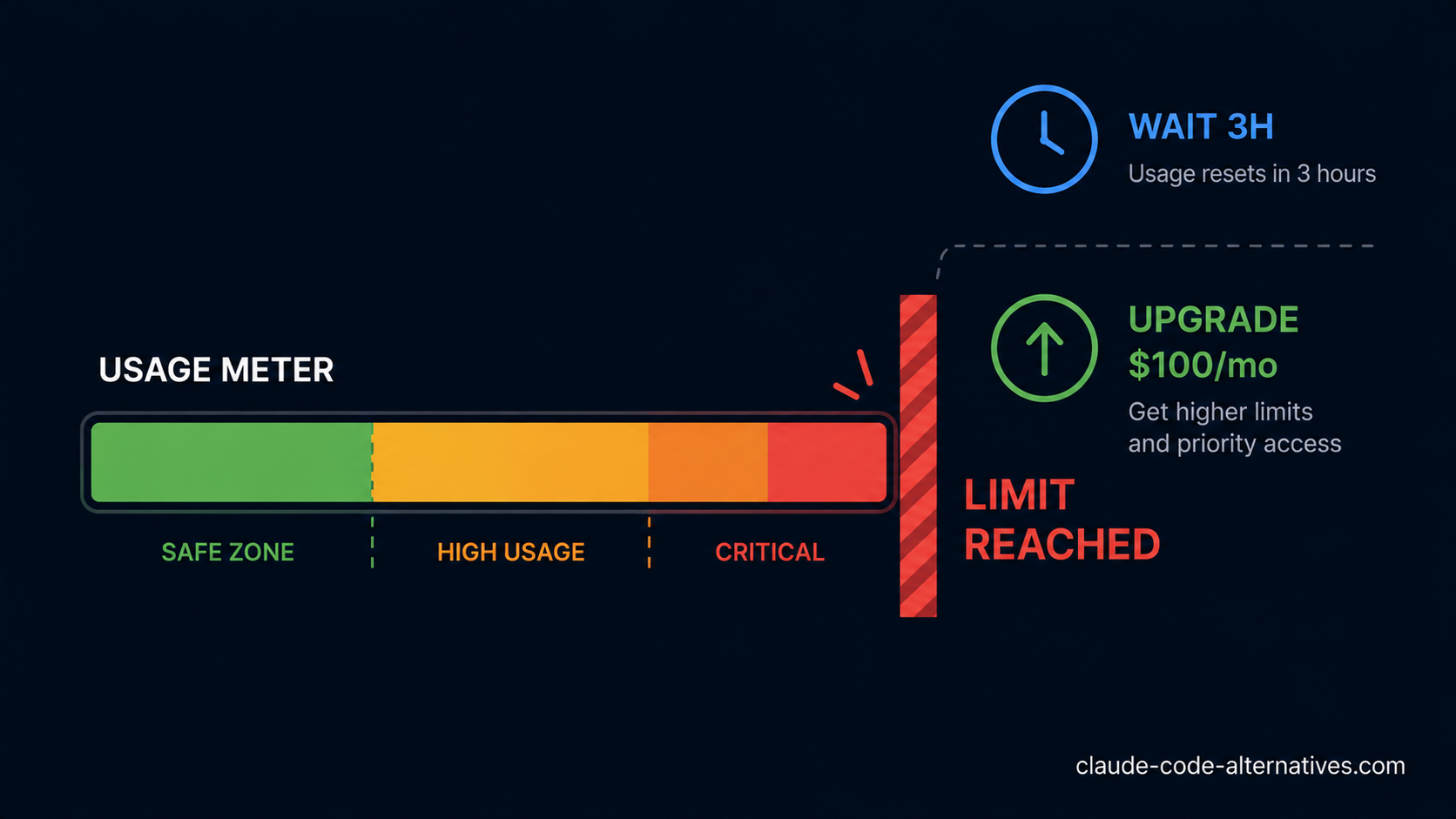
If you're reading this, you've probably seen the message: "You've reached your usage limit. Please wait a few hours or upgrade your plan." It appears mid-session, mid-refactor, mid-thought — and it's one of the most common frustrations Claude Code users report. This guide explains exactly why it happens, how to push your limits further, and when it makes sense to switch to a tool without this problem.
What Are Claude Code Rate Limits, Exactly?
Anthropic doesn't publish exact rate limit numbers. What they do publish is the tier structure:
| Plan | Limit | Price |
|---|---|---|
| Pro | Standard usage (unpublished cap) | $20/month |
| Max 5x | 5× more than Pro | $100/month |
| Max 20x | 20× more than Pro | $200/month |
In practice, Pro plan users typically hit limits after 3–5 hours of continuous agentic work or after tasks that involve heavy back-and-forth on large codebases. The limit resets on a rolling window — usually within 2–4 hours.
For the full pricing breakdown including what each plan includes, see our Claude Code Pricing guide →.
Why You're Hitting Limits Faster Than Expected
Not all Claude Code sessions consume usage equally. These patterns drain your quota fastest:
1. Large context windows Loading your entire codebase into context at the start of every session burns tokens before Claude Code writes a single line. The 1M token context window is powerful — but expensive in terms of usage quota.
2. Parallel agent runs Claude Code's newer multi-agent features run several agents simultaneously. Each agent consumes quota independently. Four parallel agents = four times the usage rate.
3. Long correction loops When Claude Code makes an error and you ask it to fix, re-fix, and re-fix again — each exchange counts toward your usage. Poorly scoped prompts that produce wrong results waste quota on iterations.
4. Heavy Opus usage If your sessions route to Claude Opus (Anthropic's most capable but token-expensive model) rather than Sonnet, you burn through usage significantly faster.
5. Peak hour slowdowns causing retries During high-traffic periods, slow responses can cause session retries that each consume usage. See our Claude Code Not Working guide → for how to handle this.
7 Workarounds to Stretch Your Pro Plan Usage
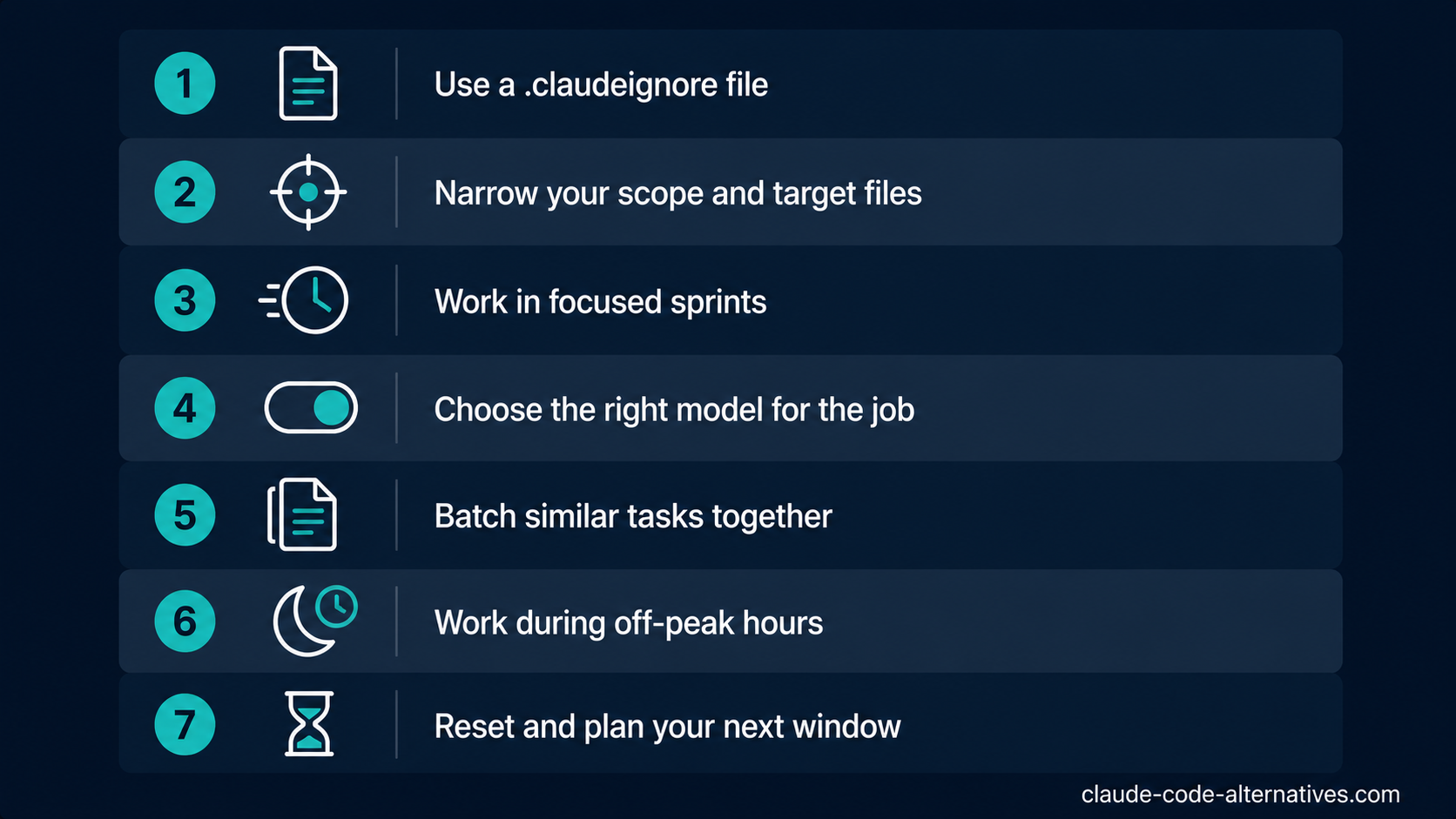
1. Use .claudeignore aggressively
Create a .claudeignore file in your project root to exclude everything Claude Code doesn't need to read:
# .claudeignore example
node_modules/
dist/
build/
.git/
*.lock
*.log
coverage/
.next/
vendor/
This prevents Claude Code from loading irrelevant files into context, saving significant quota per session.
2. Scope every prompt tightly
Instead of: "Refactor the authentication system"
Use: "Refactor only src/auth/login.ts and src/auth/session.ts. Do not touch any other files."
Tight scoping reduces the number of files Claude Code reads and the number of correction iterations needed. Less reading + fewer mistakes = slower quota consumption.
3. Split long sessions into focused sprints
Rather than one long 4-hour session, work in 45–60 minute focused sprints with a clear start and end state. Closing and reopening Claude Code between sprints clears the context window and resets the session — giving you more control over what's loaded each time.
4. Use Sonnet, not Opus, for routine tasks
For straightforward coding tasks — writing tests, adding types, small refactors — Claude Sonnet 4.5 is fast, capable, and more quota-efficient than Opus. Reserve Opus for genuinely complex reasoning tasks.
Check which model your session is using and switch explicitly when needed:
claude --model claude-sonnet-4-5 "add JSDoc comments to all functions in utils.ts"
5. Batch similar tasks into single prompts
Instead of five separate prompts for five files, batch them:
"Add error handling to these five files: api/users.ts, api/orders.ts, api/products.ts, api/payments.ts, api/auth.ts. Follow the same pattern as the existing error handling in utils/errors.ts."
One prompt, one context load, one set of output tokens — instead of five.
6. Work outside peak hours
Claude Code's rate limits are partly dynamic — heavy Anthropic API load during peak hours (roughly 14:00–20:00 UTC) can make sessions slower and more prone to retries. Intensive agentic work done during off-peak hours (early morning or late night UTC) tends to run more smoothly and use less quota on retries.
7. Time your sessions around the reset window
The Pro plan usage window resets on a rolling basis — typically every 3–5 hours. If you hit the limit at 10:00, you'll usually have usage restored by 13:00–15:00. Plan your most quota-intensive work (large refactors, test generation at scale) for the start of a fresh window, and do lighter tasks (code review, documentation, small fixes) toward the end of a window.
When Workarounds Aren't Enough
If you're implementing all seven workarounds and still hitting limits regularly, the honest answer is one of two things:
Option A: Upgrade to Max The Max 5x plan at $100/month removes the most common rate limit friction for full-time engineers. The Max 20x at $200/month is effectively uncapped for all but the heaviest power users. See the full cost breakdown in our Claude Code Pricing guide →.
Option B: Switch to a tool without arbitrary limits
Rate limits are a structural feature of Claude Code's subscription model — not a bug. If your workflow consistently bumps against them, you may be better served by a tool that doesn't work this way.
Best Alternatives Without Rate Limits
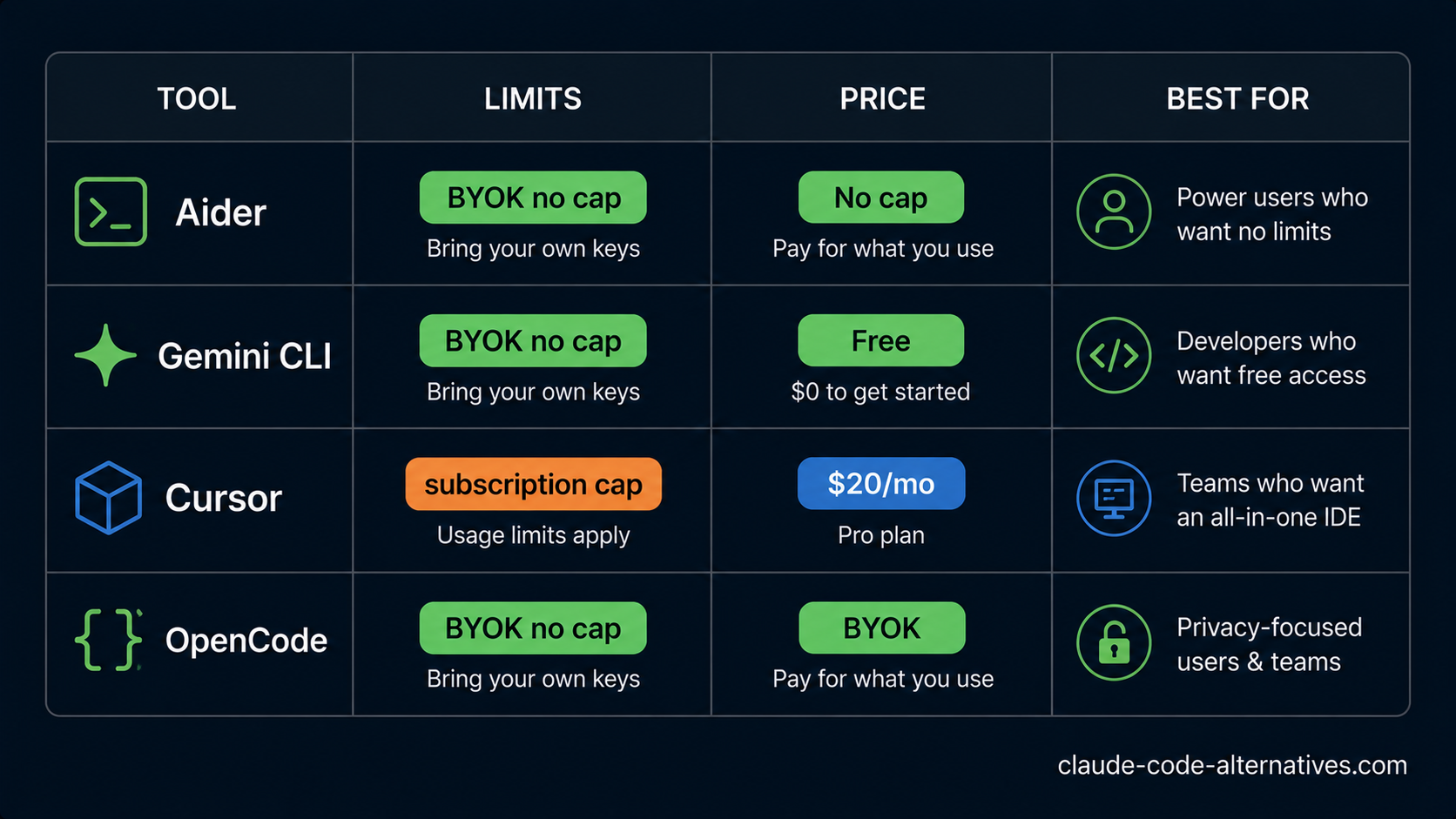
| Tool | How it handles limits | Price | Best for |
|---|---|---|---|
| Aider | No tool limits — you pay API tokens directly | Free + BYOK | CLI users wanting no caps |
| Gemini CLI | 1,000 requests/day free, then pay-per-use | Free tier | Heavy free users |
| Cursor | Fast request pool, more headroom at $20 | $20/month | Visual IDE preference |
| OpenCode | BYOK, no tool-level limits | Free + BYOK | Open-source CLI |
Aider — the closest Claude Code equivalent without limits
Aider is the most direct alternative: a terminal-first AI coding agent that works with any model including Claude's API. The key difference — you pay Anthropic directly for API tokens, with no Aider markup and no subscription rate limits. If you're currently consuming $20/month of Pro and hitting limits, you might find that Aider with the same Claude API access gives you more headroom for a similar or lower cost.
Full comparison: Claude Code vs Aider →
Gemini CLI — the best free option
Gemini CLI gives you 1,000 free requests per day using Gemini 2.5 Pro — a model with a 1M token context window. For moderate users, this is effectively unlimited at zero cost. It's not as polished as Claude Code, but it's a strong backup for when you've hit your Pro plan limit mid-day.
Cursor — if you want an IDE with more headroom
Cursor at $20/month includes autocomplete, visual diffs, and agentic features with a larger fast-request pool than Claude Code Pro. Developers who switch from Claude Code to Cursor often report hitting usage walls less frequently at the same price point — though Cursor's agentic depth doesn't match Claude Code on complex autonomous tasks.
Full comparison: Claude Code vs Cursor →
FAQ
How long until Claude Code rate limits reset? Anthropic uses a rolling window. Most users see their usage restored within 2–4 hours of hitting the limit, though this isn't guaranteed and isn't published officially.
Do rate limits apply to the Max plan? The Max plan significantly increases your usage headroom (5x or 20x vs Pro), but there are still limits — they're just much higher. The vast majority of developers never hit Max 20x limits in normal use.
Does using Claude Code via API instead of subscription avoid limits? API usage is metered differently (you pay per token), so there are no hard pause-and-wait limits like the subscription plan. However, Anthropic's API has its own rate limits (requests per minute) depending on your API tier. Teams at scale sometimes prefer API billing for this reason.
Will running multiple terminal sessions help avoid limits? No — all Claude Code sessions are tied to your account. Multiple terminals running simultaneously consume quota faster, not slower.
Is there a way to see how much usage I have left? Not currently. Claude Code doesn't expose a usage meter — you find out you've hit the limit when the message appears. This is a known frustration in the developer community.
What's the cheapest way to get unlimited Claude Code usage? Aider with Claude's API is the closest option — you pay only for actual token consumption with no subscription rate limits. At light-to-moderate usage, this often costs less than $20/month.
Browse all Claude Code alternatives → across AI IDEs, CLI Agents, IDE Extensions, and AI App Builders. Or read our Claude Code Not Working → guide for other common issues.