
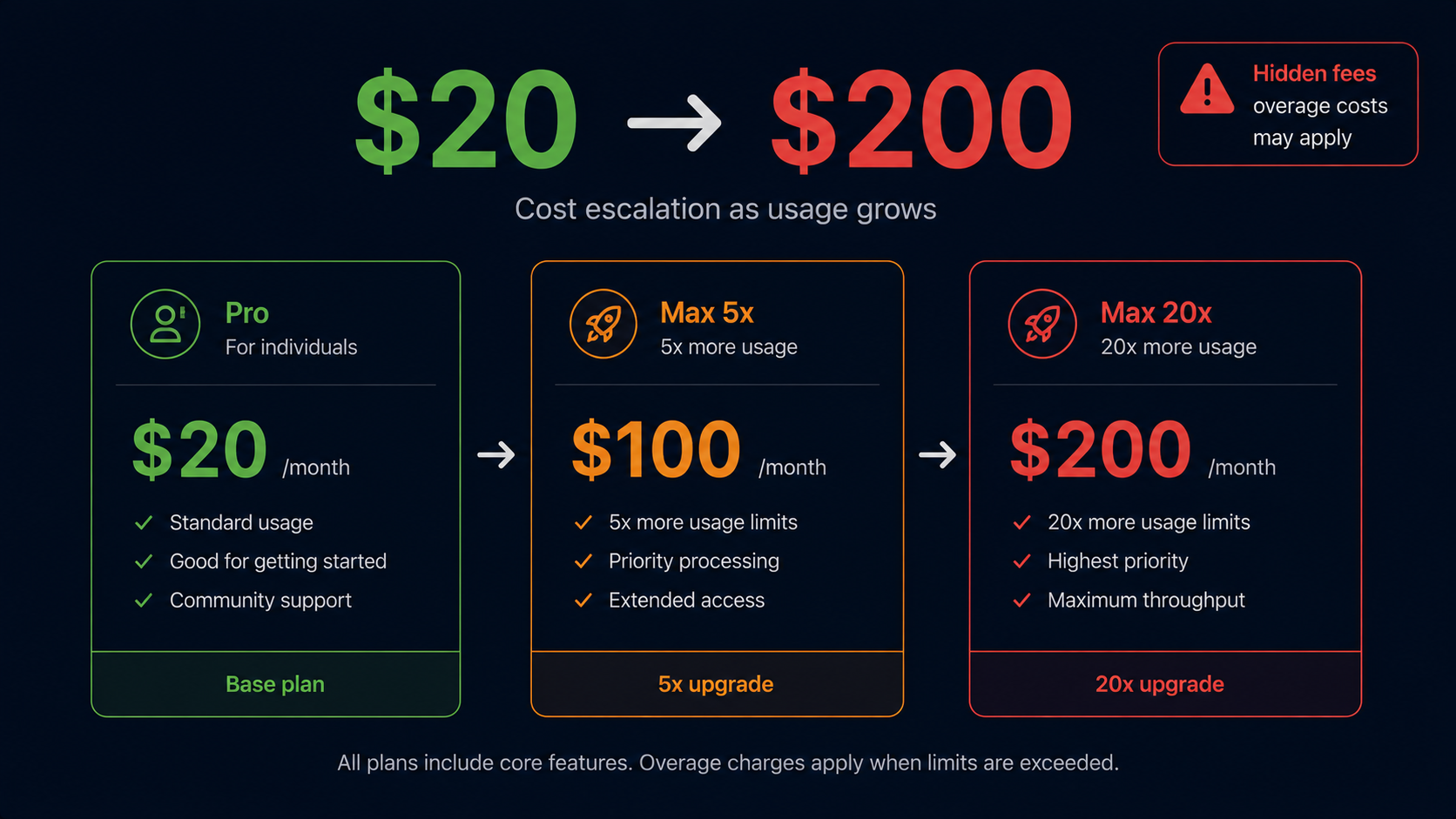
Claude Code Pricing: The Real Cost in 2026 (Pro vs Max, Hidden Fees Explained)
Updated: May 2026 · How we test and evaluate tools →
Claude Code has one of the more confusing pricing structures in the AI coding tools market. The entry price looks simple — $20/month — but the real cost for heavy users can be 5–10x that. This guide breaks down every plan, what you actually get, when you'll hit limits, and what your real monthly bill looks like depending on how you work.
TL;DR: Claude Code Pricing at a Glance
| Plan | Price | Best for |
|---|---|---|
| Pro | $20/month | Developers using Claude Code for occasional to moderate tasks |
| Max (5x) | $100/month | Full-time engineers running Claude Code throughout the workday |
| Max (20x) | $200/month | Power users, agencies, or anyone doing heavy autonomous agentic work |
| API (Teams) | Pay-per-token | Teams building Claude Code into workflows via Anthropic API |
| Free tier | ❌ None | — |
Claude Code has no free tier. You need at minimum a Claude.ai Pro subscription at $20/month to access it.
The Pro Plan ($20/month) — What You Actually Get
Claude Code is included in the standard Claude.ai Pro plan at $20/month. This is the same plan used for Claude's web interface — Claude Code access is bundled in.
What's included:
- Full Claude Code CLI agent access
- Claude Sonnet 4.5 as the primary model
- Opus access for complex reasoning tasks (within usage limits)
- VS Code and JetBrains extension support
- Standard context window (200K tokens; 1M in beta for eligible users)
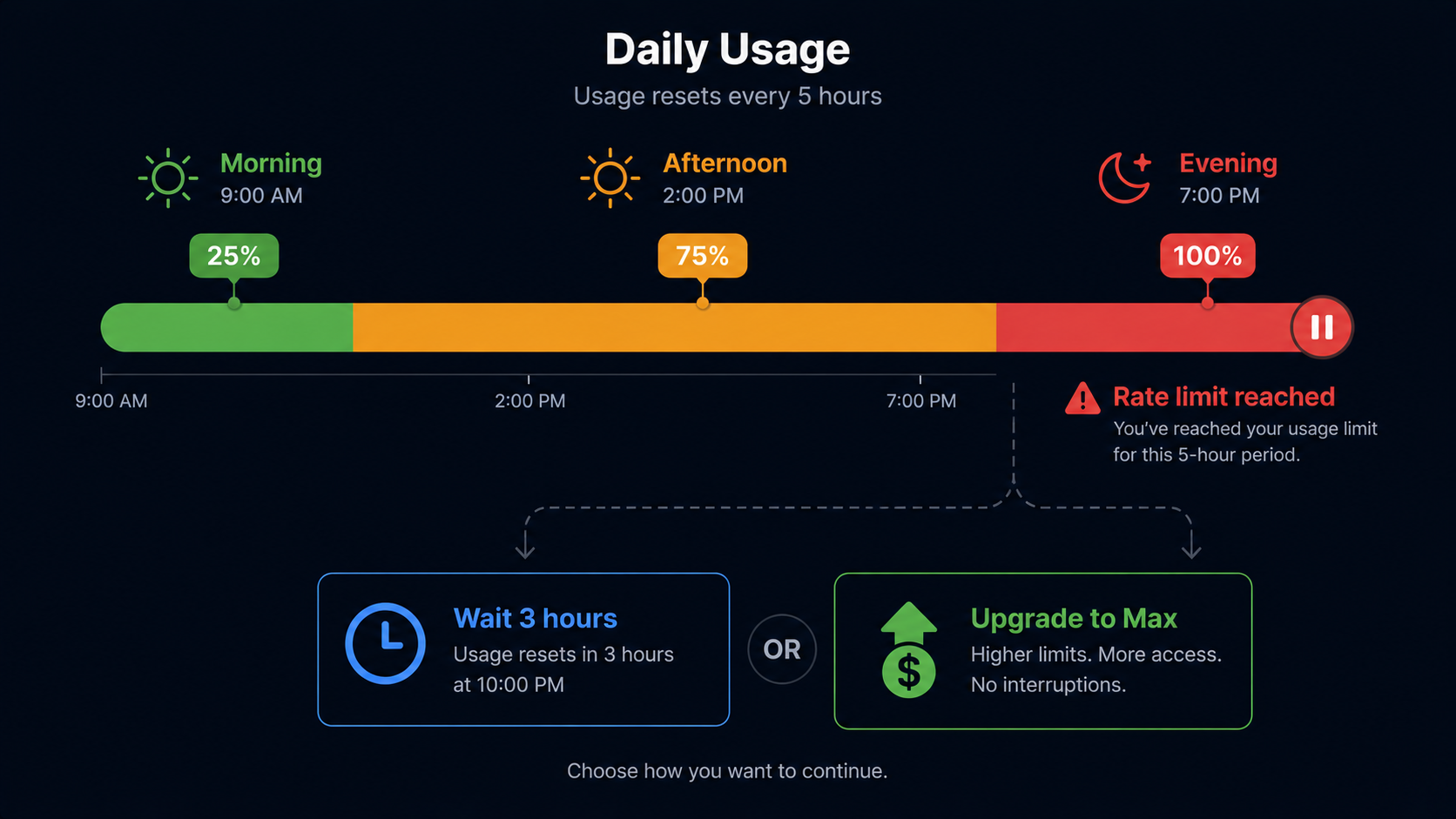
The catch — rate limits: The $20 Pro plan has usage caps that are deliberately not published as exact numbers. In practice, developers report hitting limits after:
- 3–5 hours of continuous agentic sessions
- Large refactors spanning 50+ files
- Intensive back-and-forth debugging sessions
When you hit the limit, Claude Code pauses and asks you to wait — typically a few hours — or upgrade to Max.
Who the Pro plan works for: Developers who use Claude Code for specific tasks (a refactor here, a test suite there) rather than leaving it running continuously. If you're spending 1–3 hours per day on Claude Code tasks, Pro is likely sufficient.
The Max Plan ($100 or $200/month) — When You Need It
The Claude Code Max plan comes in two tiers designed for developers who run into Pro limits regularly:
Max (5x) — $100/month
- 5× more usage than Pro
- Removes the most common rate limit friction
- Best for: full-time engineers using Claude Code as their primary coding workflow, running it for 4–6 hours daily
Max (20x) — $200/month
- 20× more usage than Pro
- Near-unlimited for most workflows
- Best for: agencies, power users running parallel agentic tasks, or developers doing very large codebase work daily
Important note on "limits": Anthropic intentionally doesn't publish exact token counts or request limits. The 5x and 20x multipliers are relative to Pro — they describe headroom, not absolute numbers.
Hidden Costs to Know About
1. API usage for Teams
If you're running Claude Code at team scale through the Anthropic API rather than individual Pro/Max plans, you pay per token. Pricing varies by model:
- Claude Sonnet 4.5: $3/M input tokens, $15/M output tokens
- Claude Opus 4: higher (Anthropic's most capable model)
A heavy agentic session on a large codebase can consume millions of tokens. Teams should model expected token usage carefully before assuming API billing is cheaper than per-seat Max plans.
2. Parallel agent runs
Claude Code's newer features support running multiple agents simultaneously. Each parallel agent consumes usage quota independently — running 4 agents in parallel burns usage roughly 4× as fast.
3. Large context sessions
Loading a large codebase into Claude Code's 1M token context window uses significantly more tokens per session than smaller scoped tasks. If you're regularly working on monorepos or large legacy codebases, factor this into your plan choice.
Real-World Monthly Bills: 3 User Scenarios
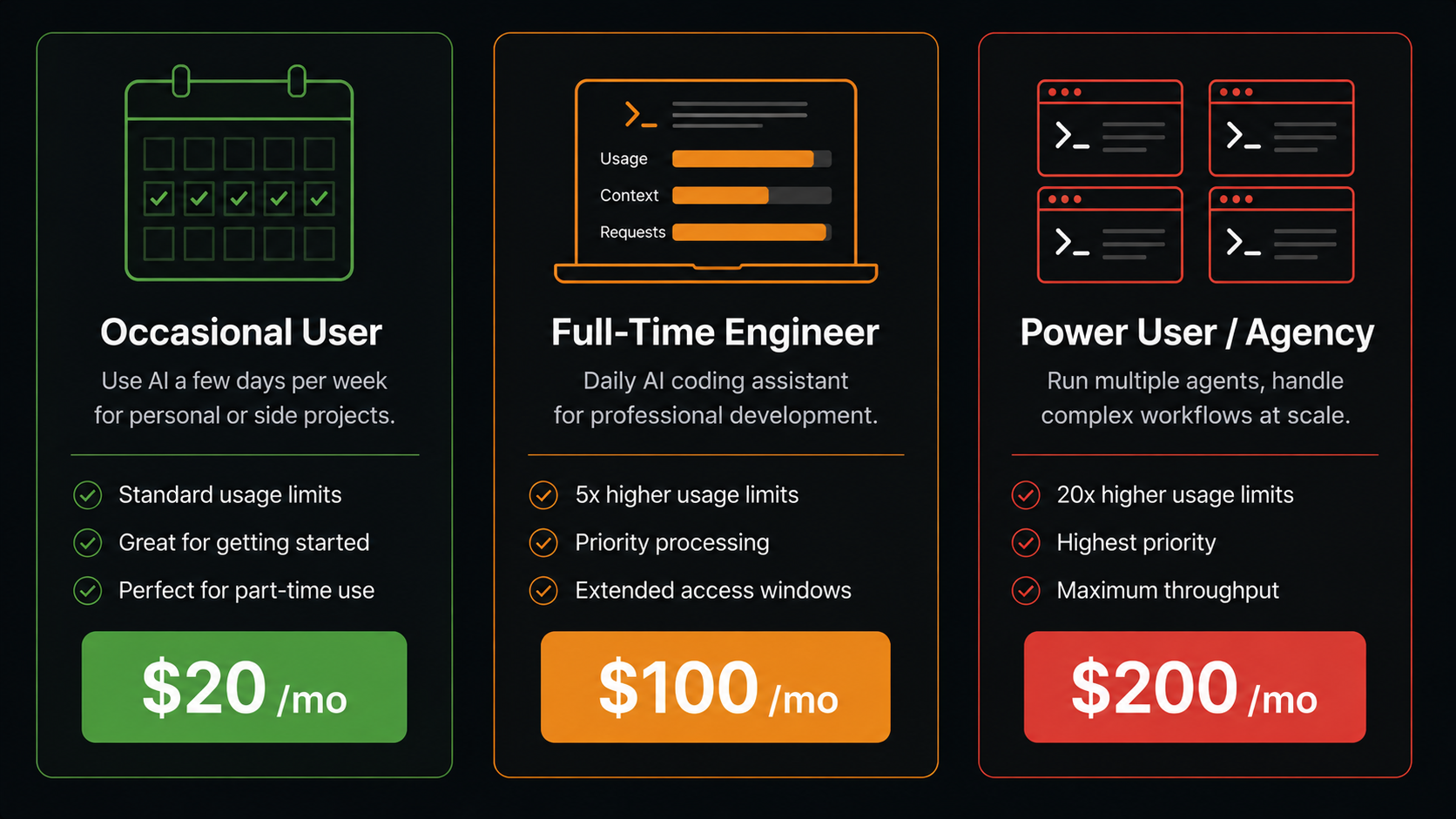
Scenario 1: Occasional user — $20/month (Pro)
- Uses Claude Code 3–5 times per week
- Typical session: 30–60 minutes, focused tasks
- Rarely hits rate limits
- Total: $20/month
Scenario 2: Full-time engineer — $100/month (Max 5x)
- Claude Code running most of the workday
- Daily sessions of 4–6 hours across multiple projects
- Hits Pro limits within the first week of the month
- Total: $100/month
Scenario 3: Power user / agency — $200/month (Max 20x)
- Running Claude Code autonomously on large codebases
- Parallel agents, overnight runs, client project work
- Max 5x doesn't provide enough headroom
- Total: $200/month
How Claude Code Pricing Compares to Alternatives
If cost is a concern, the alternatives market has options at every price point:
| Tool | Price | Key trade-off vs Claude Code |
|---|---|---|
| GitHub Copilot | $10/month | Half the price, no agentic autonomy |
| Cursor | $20/month | Same price, visual IDE, multi-model |
| Aider | Free + BYOK | Free tool, pay only API tokens, any model |
| Gemini CLI | Free | 1,000 requests/day free with Gemini 2.5 Pro |
The key pricing insight: If you primarily need autocomplete and chat — not agentic autonomy — GitHub Copilot at $10/month gives you strong value at half the cost. See our Claude Code vs GitHub Copilot comparison →.
If you want CLI agent capability without a subscription, Aider is free and supports Claude's API directly — you pay Anthropic for tokens with no Aider markup. See our Claude Code vs Aider comparison →.
For a visual IDE at the same $20 price, Cursor adds autocomplete and multi-model support. See our Claude Code vs Cursor comparison →.
Is Claude Code Worth the Price?
$20/month is worth it if:
- You need autonomous multi-file agentic tasks (not just autocomplete)
- You're comfortable in the terminal and prefer CLI workflows
- You use Claude Code for meaningful work several times a week
- The time saved on one large refactor pays for the month's subscription
$100–200/month is worth it if:
- Claude Code is your primary coding tool, running most of your workday
- You're billing the cost against client work or a company budget
- The alternative is manual work that costs you significantly more than $100/month in time
Consider a cheaper alternative if:
- You mostly want autocomplete → GitHub Copilot at $10/month is better value
- You want CLI autonomy but with cost control → Aider with BYOK lets you pay only for what you use
- You want free to start → Gemini CLI offers 1,000 free daily requests with Gemini 2.5 Pro
- You want autocomplete + agentic in one visual IDE at $20 → Cursor is worth comparing
FAQ
Does Claude Code have a free trial? No. Claude Code requires a paid Claude.ai Pro subscription ($20/month) to access. There is no free trial period.
Is Claude Code included in Claude Pro? Yes. Claude Code access is bundled into the standard Claude.ai Pro plan at $20/month. You don't pay separately for the CLI agent — it's the same subscription.
What happens when I hit the rate limit on Pro? Claude Code will notify you that you've reached your usage limit and ask you to wait or upgrade to Max. The pause is typically a few hours, after which your usage resets.
Can I share one Claude Code subscription across a team? No. Claude Code is tied to individual Anthropic accounts. Teams need either individual subscriptions or Anthropic API access with team billing.
Is there a student or open-source discount? Not currently. Unlike GitHub Copilot — which is free for students and open-source maintainers — Claude Code has no discounted tier.
How do I know if I need Pro or Max? Start with Pro. If you hit rate limits consistently in your first two weeks of normal usage, upgrade to Max 5x. If Max 5x still limits you, you're a heavy enough user to justify Max 20x.
What's cheaper — Claude Code Max or Cursor for a team? For teams, Cursor's Business plan at $40/seat is often cheaper than Claude Code Max per developer. See the full breakdown in our Claude Code vs Cursor comparison →.
Browse all Claude Code alternatives → across AI IDEs, CLI Agents, IDE Extensions, and AI App Builders.