
Claude Code Not Working? 9 Common Issues and How to Fix Them
Updated: May 2026 · How we test tools →
Claude Code is powerful, but it's not immune to frustrating moments. Authentication failures, rate limit walls, hanging sessions, broken extensions — they all happen. This guide covers the nine most common Claude Code problems, how to fix them fast, and when the issues are a signal to try something else entirely.
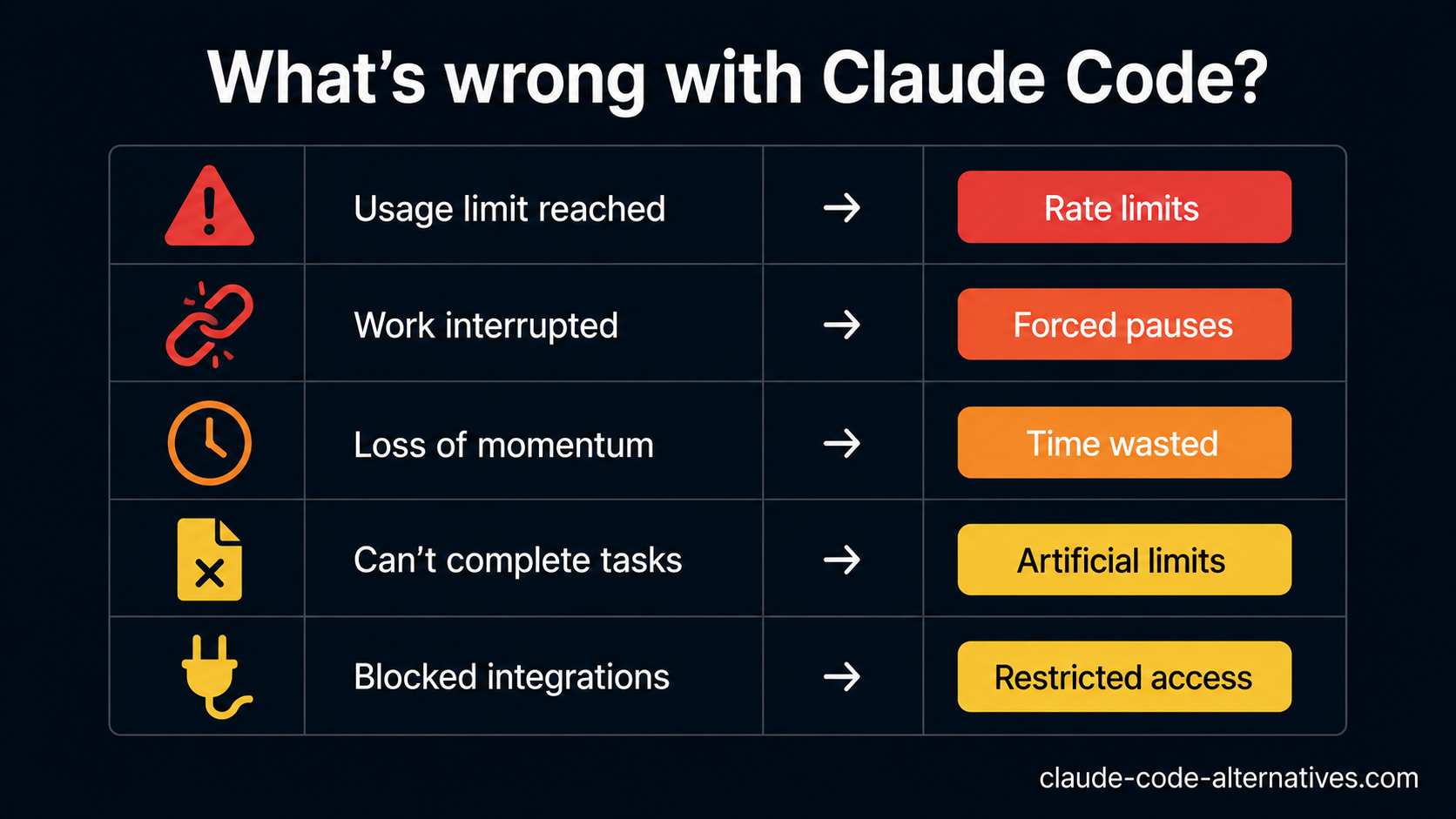
Quick Diagnosis: What's Your Problem?
| Symptom | Most likely cause | Jump to |
|---|---|---|
| "Usage limit reached" message | Rate limit on Pro plan | Issue #1 |
npm install fails |
Node.js version or permissions | Issue #2 |
| Authentication / API key error | Expired session or wrong key | Issue #3 |
| Claude Code hangs / no response | Network or large context overload | Issue #4 |
| Edits the wrong files | Context window confusion | Issue #5 |
| VS Code extension not connecting | Extension config mismatch | Issue #6 |
| JetBrains extension broken | Plugin version incompatibility | Issue #7 |
| Very slow responses | High server load or large context | Issue #8 |
| Git errors / permission denied | File permission or Git config issue | Issue #9 |
Issue #1: "Usage Limit Reached" — Rate Limits on the Pro Plan
What's happening: You've hit Claude Code's usage cap for the Pro plan ($20/month). Anthropic doesn't publish exact limits, but most developers hit them after 3–5 hours of continuous agentic work or after large multi-file refactors.
Quick fixes:
- Wait 2–3 hours for your usage window to reset
- Break large tasks into smaller scoped sessions to spread usage
- Avoid loading your entire codebase into context when only a subset is needed
If it keeps happening: This is the most common reason developers upgrade to Claude Code Max ($100–200/month) or switch tools entirely. See our full Claude Code Pricing breakdown → to decide if upgrading makes sense for your usage pattern.
Alternatives if you don't want to pay more:
- Aider — free CLI agent, pay only for raw API tokens with no usage caps
- Gemini CLI — 1,000 free requests per day with Gemini 2.5 Pro
Issue #2: Installation Fails — npm install Errors
What's happening: Claude Code requires Node.js 18+ and npm. Errors here are almost always caused by an outdated Node version, permission problems on macOS/Linux, or a corrupted npm cache.
Quick fixes:
# Check your Node version — must be 18+
node --version

# If outdated, update via nvm
nvm install 20
nvm use 20

# Fix npm permission errors on macOS/Linux
npm install -g @anthropic-ai/claude-code --prefix ~/.local

# Clear npm cache if install keeps failing
npm cache clean --force
npm install -g @anthropic-ai/claude-code
Windows users: Claude Code is primarily designed for macOS and Linux. On Windows, use WSL2 for the most reliable experience.
Issue #3: Authentication Errors — API Key or Login Failures
What's happening: Claude Code authentication can fail when your Anthropic session has expired, your API key has been rotated, or there's a mismatch between your account type and Claude Code access.
Quick fixes:
# Re-authenticate Claude Code
claude /logout
claude /login

# Verify your API key is valid at:
# console.anthropic.com/settings/keys
Important: Claude Code requires an active Claude.ai Pro subscription ($20/month minimum). A free Claude account will not grant access. See Claude Code Pricing → for full plan details.
Issue #4: Claude Code Hangs or Stops Responding
What's happening: Sessions can hang due to network interruptions during a long agentic run, context window overflow on very large codebases, or Anthropic API latency during peak hours.
Quick fixes:
# Press Ctrl+C to interrupt the current session safely

# Check Anthropic's API status
# https://status.anthropic.com

# Reduce context size
claude "refactor only src/auth/login.ts, ignore everything else"

# Exclude irrelevant directories
echo "node_modules/\ndist/\n.git/" > .claudeignore
If it's a recurring issue on large codebases: Aider's repo map approach dynamically loads only relevant files rather than the full codebase, which can be more stable on very large projects.
Issue #5: Claude Code Edits the Wrong Files
What's happening: When working in a large codebase without clear scope, Claude Code can make changes to files you didn't intend — especially when similarly named files exist in multiple directories.
Quick fixes:
- Always specify the exact file or directory: "Only modify files inside
src/components/auth/" - Use
.claudeignoreto exclude irrelevant directories - Start sessions with a scope-setting message: "We're working exclusively on the payment module. Do not touch anything outside
/src/payments/" - Review proposed diffs before confirming changes
Issue #6: VS Code Extension Not Connecting
What's happening: The Claude Code VS Code extension fails to connect when there's a version mismatch between the extension and your CLI, or when the CLI isn't found in your PATH.
Quick fixes:
- Update CLI:
npm update -g @anthropic-ai/claude-code - Restart VS Code completely after CLI updates
- Open VS Code terminal and run
which claudeto verify PATH - Disable and re-enable the extension in the Extensions panel
- Check View → Output → Claude Code for specific error messages
If the extension keeps failing: Cursor is a VS Code fork with AI built into the editor core rather than as an extension — tighter integration, fewer connection issues. See Claude Code vs Cursor →.
Issue #7: JetBrains Extension Not Working
What's happening: The Claude Code JetBrains plugin can break after IDE updates, or when the plugin version lags behind the CLI version.
Quick fixes:
- Update the plugin:
Settings → Plugins → Claude Code → Update - Verify your JetBrains IDE meets the minimum version requirement
- Invalidate caches:
File → Invalidate Caches → Invalidate and Restart - If on a JetBrains EAP build, switch to the stable release
Note: For JetBrains users who need more stability, GitHub Copilot's JetBrains plugin is more polished and better maintained. See Claude Code vs GitHub Copilot →.
Issue #8: Very Slow Responses
What's happening: Slow responses are almost always caused by Anthropic API load during peak hours (typically 14:00–20:00 UTC), large context windows taking time to process, or your internet connection.
Quick fixes:
- Check status.anthropic.com for active incidents
- Reduce context via
.claudeignore— excludedist/,build/,*.lockfiles - Run intensive tasks outside of peak usage hours
Backup option: Gemini CLI with Gemini 2.5 Pro often has lower latency during Anthropic peak hours — worth keeping for time-sensitive work.
Issue #9: Git Errors — Permission Denied or Commit Failures
What's happening: Claude Code interacts with Git to read context and commit changes. Errors appear when Git isn't configured, or Claude Code is run outside of a Git repository.
Quick fixes:
# Configure Git if not already done
git config --global user.email "you@example.com"
git config --global user.name "Your Name"

# Verify you're inside a Git repo
git status

# Fix permission errors on Claude Code-created files
chmod -R u+rw .
When Issues Are a Sign to Switch Tools
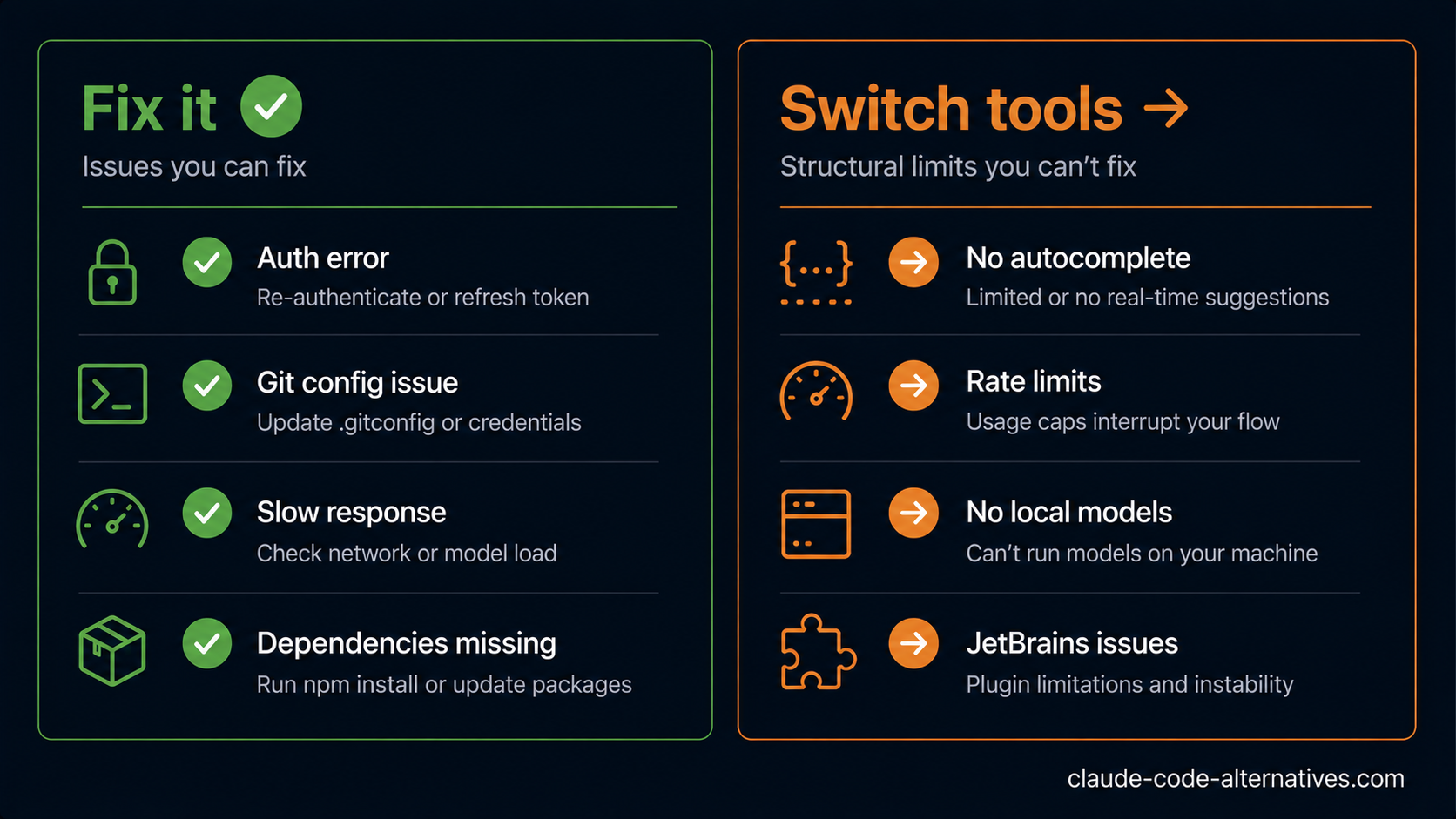
Some problems aren't fixable — they're structural limitations of Claude Code:
You keep hitting rate limits → Upgrade to Max ($100–200/month) or switch to Aider where you pay only raw API tokens with no caps. See Claude Code vs Aider →.
You miss autocomplete → Claude Code has no inline autocomplete by design. Cursor or GitHub Copilot are the right tools if you want AI suggestions as you type.
You need stable JetBrains support → GitHub Copilot's JetBrains plugin is significantly more mature.
You want local models → Claude Code sends all code to Anthropic's servers. Aider with Ollama runs entirely offline.
Browse all Claude Code alternatives → across AI IDEs, CLI Agents, IDE Extensions, and AI App Builders.
FAQ
Why does Claude Code keep stopping mid-task? Most likely a rate limit pause on the Pro plan. Check for the "Usage limit reached" message. If not, check your network and status.anthropic.com.
Does Claude Code work on Windows? Use WSL2 for a supported experience. Native Windows support is limited.
How do I update Claude Code?
Run npm update -g @anthropic-ai/claude-code. Check your version with claude --version.
Can I use Claude Code without internet? No. For offline AI coding, Aider with local models via Ollama is the main alternative.
Claude Code worked yesterday but not today — what changed?
Check status.anthropic.com first. Also run npm update to ensure you're on the latest CLI version.
See all Claude Code alternatives → or read our Claude Code Pricing guide → to understand plan limits.