
Claude Code vs Cursor: Which AI Coding Tool Is Actually Better? (2026)
Last tested: May 2026 · How we test →
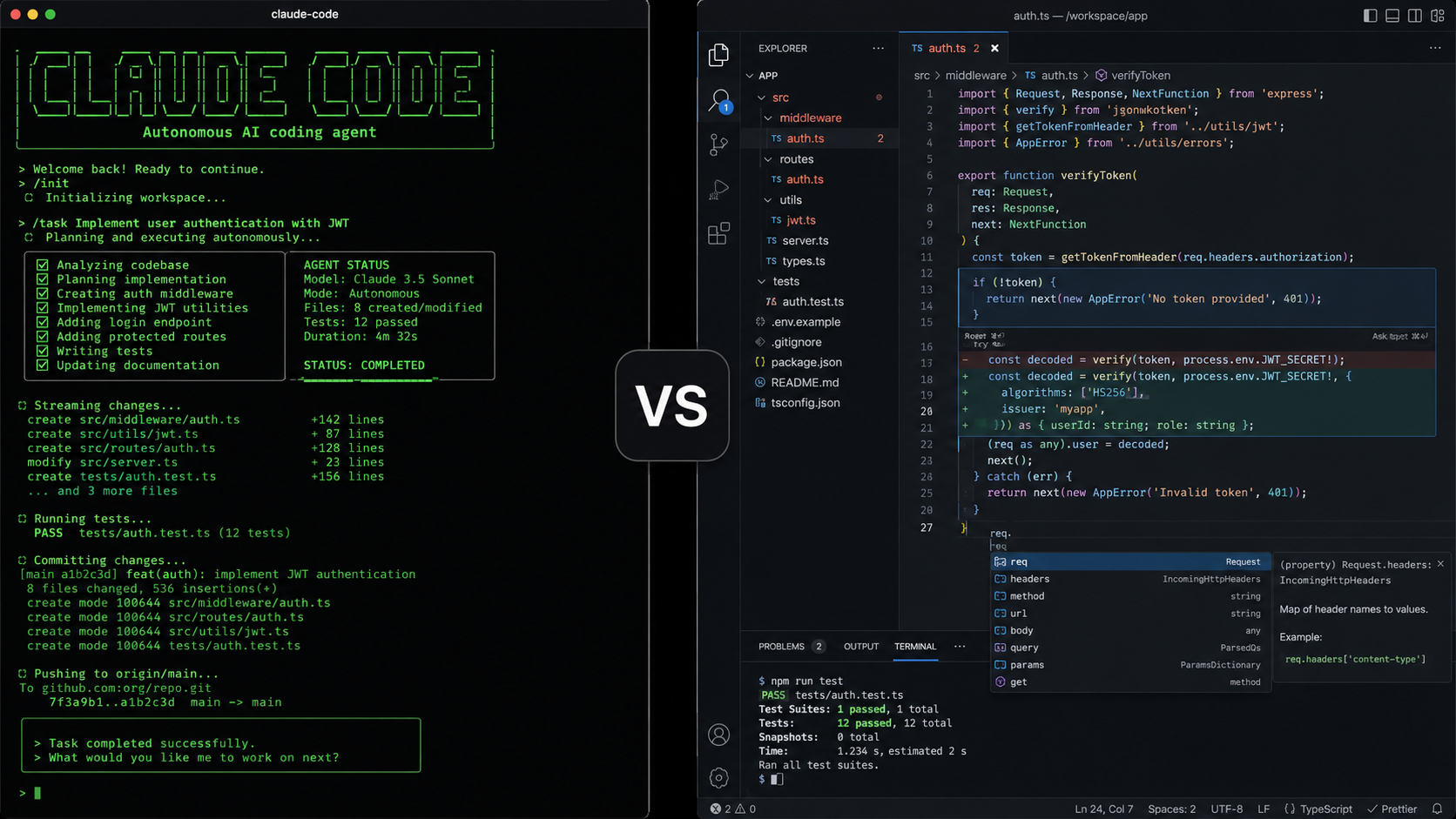
Claude Code and Cursor are the two most talked-about AI coding tools in 2026. They're also fundamentally different products solving the same problem in opposite ways. This comparison will tell you which one fits your workflow — and stop you from paying for the wrong one.
The Verdict Up Front
Choose Claude Code if you live in the terminal, work on large codebases that need deep autonomous reasoning, and don't mind paying a premium for the best agentic performance.
Choose Cursor if you want a full visual editor experience, sub-second autocomplete, multi-model flexibility, and a polished IDE that works for the whole team.
At-a-Glance Scorecard
| Criterion | Claude Code | Cursor | Winner |
|---|---|---|---|
| Agentic autonomy | ★★★★★ | ★★★★☆ | Claude Code |
| Code autocomplete | ✗ None | ★★★★★ | Cursor |
| Visual inline diffs | ✗ None | ★★★★★ | Cursor |
| Multi-model support | ✗ Anthropic only | ★★★★★ | Cursor |
| Large codebase context | ★★★★★ (1M tokens) | ★★★★☆ | Claude Code |
| Terminal/CLI workflow | ★★★★★ | ★★★☆☆ | Claude Code |
| Setup & onboarding | ★★★☆☆ | ★★★★★ | Cursor |
| Pricing value | ★★★☆☆ | ★★★★☆ | Cursor |
| Privacy & data control | ★★★★☆ | ★★★☆☆ | Claude Code |
| JetBrains support | ★★★★☆ | ✗ None | Claude Code |
Scored using our 8-criterion testing methodology.
Pricing Comparison
| Plan | Claude Code | Cursor |
|---|---|---|
| Free tier | None | Hobby (limited) |
| Individual | $20/month (Pro) | $20/month (Pro) |
| Heavy user | $100–200/month (Max) | $40/month (Business) |
| API costs | Included in subscription | Included (fast requests capped) |
| Team billing | Via Anthropic API | Per-seat Business plan |
Same entry price, but Claude Code's ceiling is much higher: you hit rate limits on the $20 plan during intense sessions, and the Max plan jumps to $100–200/month. Cursor's Business plan at $40/seat includes more headroom for teams.
Head-to-Head: Category by Category
Agentic Autonomy — Claude Code wins
Claude Code is built as an agent first. It reads your entire codebase, runs shell commands, executes tests, edits multiple files across a repo, and commits to Git — all from a single prompt. The SWE-bench Verified score sits at ~80.8%, among the highest of any tool tested publicly.
Cursor has its own Cloud Agents (autonomous runs up to 52+ hours, 8 parallel subagents in isolated worktrees) — a serious competitor. But Claude Code's reasoning loops on complex, open-ended tasks still feel tighter, especially for backend refactors spanning 20+ files.
When it matters: Large-scale refactors, automated test generation, multi-step architectural changes.
Code Autocomplete — Cursor wins, by a lot
Claude Code has no autocomplete. Zero. You interact with it through prompts, not inline suggestions.
Cursor's Tab autocomplete is genuinely best-in-class: sub-second latency, predicts your next edit location (not just the content), and learns from your recent edits in the session. Rename a function, press Tab, it jumps 40 lines to update the call site with the edit pre-filled.
When it matters: Day-to-day coding where you're writing code, not just orchestrating it.
Multi-Model Flexibility — Cursor wins
Claude Code is Anthropic-only. If Anthropic raises prices, limits access, or a competitor ships a better model — you're stuck.
Cursor lets you switch between Claude Sonnet 4.5, GPT-5.3, Gemini 3 Pro, and Cursor's proprietary Composer model mid-session. For teams experimenting with model performance or cost, this flexibility is valuable.
When it matters: BYOK setups, cost-optimisation, model experimentation.
Large Codebase Context — Claude Code wins
Claude Code's context window reaches 1M tokens in beta — enough to load an entire medium-sized codebase in one shot. It handles cross-file dependency chains, understands project-wide patterns, and maintains context across long agentic runs without losing the thread.
Cursor's context window is strong but smaller, and it uses a RAG-like retrieval system to pull relevant files into context dynamically. This works well for most cases but can miss connections that a full-context approach catches.
When it matters: Monorepos, legacy codebases with complex interdependencies, large-scale refactors.
Terminal Workflow — Claude Code wins
Claude Code is a terminal-native tool. If you work in tmux, use vim or neovim, and prefer everything in the shell — it fits perfectly. There's no GUI to context-switch into.
Cursor is a VS Code fork. You can open a terminal inside it, but it's fundamentally a GUI editor. Power terminal users often find the additional chrome friction.
When it matters: Terminal-first developers, DevOps engineers, developers on remote servers.
Setup & Onboarding — Cursor wins
Cursor: download, install, open your project. Done. The AI features work immediately.
Claude Code: requires Node.js, npm install, terminal configuration, and a paid Anthropic account. The first-run experience has friction — especially for developers who don't live in the terminal.
When it matters: Team rollouts, non-terminal-native developers, quick evaluation.
JetBrains Support — Claude Code wins (via extension)
Cursor is a VS Code fork and has no JetBrains support. If your team uses IntelliJ, PyCharm, or WebStorm — Cursor is not an option.
Claude Code has a JetBrains extension that brings its agentic capabilities into the JetBrains ecosystem. It's not as polished as the terminal version but works meaningfully.
When it matters: Java/Kotlin/Scala teams, enterprise shops standardised on JetBrains.
Real-World Pain Points
Based on developer discussions across Reddit, Hacker News, and GitHub issues:
Claude Code users complain about:
- Rate limits hitting during intense afternoon sessions on the $20 plan
- No autocomplete means slower flow for routine coding tasks
- Terminal-only limits pair-programming and screen-sharing workflows
Cursor users complain about:
- Occasional context loss mid-session ("forgets" project structure)
- Fast request limits on heavy agentic tasks
- No JetBrains support is a dealbreaker for some teams
Decision Tree: Which One Is Right for You?
You should use Claude Code if:
- You're comfortable in the terminal and prefer CLI workflows
- Your work involves large-scale autonomous tasks (big refactors, test generation at scale)
- You need JetBrains support
- You prioritise raw agentic reasoning over editing speed
- Privacy and data control matter to your organisation
You should use Cursor if:
- You want a visual editor with inline diffs and autocomplete
- You're switching from VS Code and want a familiar interface
- You want multi-model flexibility (switch between Claude, GPT, Gemini)
- You're rolling out to a team with mixed terminal comfort
- Budget matters and you want the most at $20/month
Already decided to switch from Claude Code to Cursor? → Step-by-step migration guide →
You should consider alternatives if:
- You need a free option → see Gemini CLI or Aider
- You want open-source with any model → see OpenCode
- You need a VS Code extension without switching IDEs → see all CLI Agents →
The Bottom Line
Claude Code and Cursor aren't really competing for the same user. Claude Code is a terminal agent for developers who want maximum autonomy on complex tasks. Cursor is a polished AI IDE for developers who want AI woven into their existing visual editing workflow.
Most developers making this decision aren't choosing between "better" and "worse" — they're choosing between two different philosophies about how AI should integrate with coding.
If you're still unsure, browse our full directory of Claude Code alternatives → to see what else exists in each category: AI IDEs, CLI Agents, IDE Extensions, and AI App Builders.
FAQ
Is Claude Code better than Cursor? Neither is universally better. Claude Code leads on agentic autonomy and large-context tasks. Cursor leads on autocomplete, visual diffs, and multi-model support. The right answer depends on your workflow.
Can I use Claude Code and Cursor together? Yes. Many developers use Claude Code for autonomous large-scale tasks and Cursor for day-to-day coding with autocomplete. They complement each other.
Is Cursor worth $20/month over Claude Code? At the same price, Cursor offers more for developers who want a full IDE experience. Claude Code justifies its cost for developers who need maximum agentic capability on complex tasks.
Does Cursor use Claude? Cursor supports Claude Sonnet 4.5 (Anthropic's model) as one of several model options. It's not Claude-exclusive.
Which is better for a team? Cursor's Business plan ($40/seat) includes better team management, SSO, and usage controls. Claude Code's team pricing requires Anthropic API access, which is less turnkey for non-technical setup.
How do I switch from Claude Code to Cursor? See our step-by-step guide: How to Switch from Claude Code to Cursor → — covers exporting CLAUDE.md, installing Cursor, migrating config, and what to expect in the first week.
Explore more comparisons and alternatives in our full Claude Code alternatives directory →