Plandex
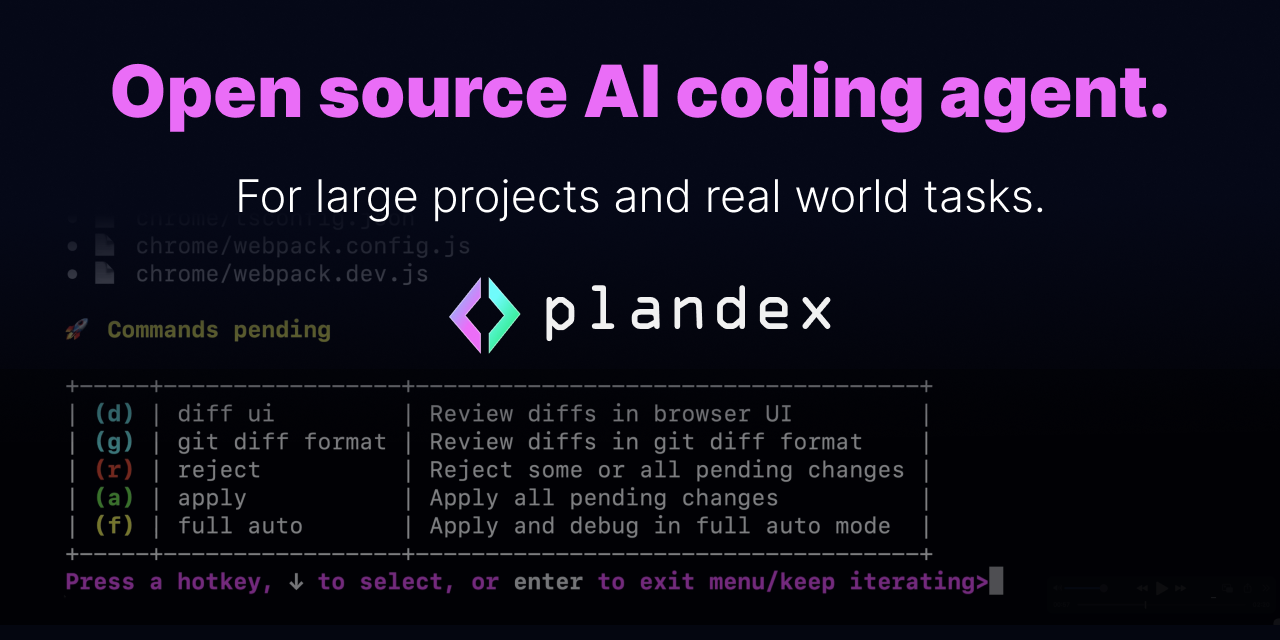
Open-source AI coding agent designed for large-scale development tasks spanning multiple files.
Plandex - Claude code alternative
Plandex is a terminal-based AI coding engine that handles complex development tasks across dozens of files. It operates through a client-server architecture with support for up to 2M tokens of context per session. Solo developers benefit from its ability to manage large codebases without the manual overhead of copying code between tools.
Strengths
- Ultra-large context handling — Supports 2M tokens directly and indexes 20M+ token directories using tree-sitter project maps
- Sandboxed change management — Cumulative diff review keeps AI changes separate until ready for implementation
- Multi-model flexibility — Integrates with OpenAI, Anthropic, and other providers through OpenRouter API
- Version control integration — Built-in Git support with automatic commit message generation
- Self-hosting capability — Open-source MIT license allows complete local deployment and control
- Terminal-native workflow — REPL mode with fuzzy auto-complete eliminates context switching
Weaknesses
- Windows compatibility limited — Only supports Windows through WSL environment
- Server dependency — Requires running server component even for local usage
- Learning curve — Terminal-based interface may intimidate developers used to GUI tools
- Credit-based pricing — Cloud usage requires ongoing credit purchases for model access
Best for
Solo developers and small teams working on large, multi-file codebases requiring extensive context awareness.
Pricing plans
- Local mode — Free — Open source self-hosting with your own API keys
- Cloud trial — $10 one-time — Includes $10 in credits for integrated models
- Cloud plan — $45/month — Includes $20 monthly credits that never expire
Tech details
- Type: Terminal-based AI coding agent with client-server architecture
- IDEs: Terminal/CLI interface, works alongside any IDE or editor
- Key features: 2M token context, tree-sitter indexing, sandboxed diffs, version control, REPL mode
- Privacy / hosting: Self-hosted option available, cloud hosting with data retention policies, MIT license
- Models / context window: OpenAI GPT-4, Anthropic Claude, various providers via OpenRouter, 2M token context
When to choose this over Claude code
- Large codebase requirements — Handles up to 2M tokens of context directly and can index directories with 20M tokens or more
- Self-hosting needs — Open source with full self-hosting capabilities for complete data control
- Multi-step task automation — Designed to plan and execute large coding tasks that span many steps and touch dozens of files
When Claude code may be a better fit
- GUI preference — Plandex requires terminal comfort and command-line workflow familiarity
- Windows-native development — Only supports WSL environment on Windows, not native CMD or PowerShell
- Simple tasks — Overhead of server setup may not justify usage for single-file modifications
Conclusion
Plandex addresses the gap between simple AI code completion and comprehensive project-level understanding. Its strength lies in managing complex, multi-file tasks that overwhelm traditional AI coding tools. The combination of massive context windows and sandboxed change management makes it particularly valuable for refactoring and large-scale development work.
Sources
FAQ
Q: How does Plandex handle large codebases differently from other AI tools? A: Plandex can handle up to 2M tokens of context directly (~100k per file), and can index directories with 20M tokens or more using tree-sitter project maps. This allows it to understand entire project structures rather than working with isolated code snippets.
Q: What models can I use with Plandex? A: You can use OpenAI, Anthropic, and other providers through API keys or OpenRouter integration. If you have a Claude Pro or Max subscription, Plandex can use it when calling Anthropic models.
Q: Is there a free version of Plandex? A: Yes, the open source version uses MIT license where you use your own model provider accounts and API keys. The server can be self-hosted locally or on a cloud server you control.
Q: How does the sandbox feature work? A: A cumulative diff review sandbox keeps AI-generated changes separate from your project files until they are ready to go. This allows you to review and control what changes actually get applied to your codebase.
Q: What operating systems are supported? A: Windows is supported via WSL, while Linux and macOS have native support. Windows CMD or PowerShell is not supported.
Q: How much does Plandex Cloud cost? A: Start with a $10 trial (includes $10 in credits). After the trial, you can upgrade to a paid plan for $45 per month—includes $20 in credits every month that never expire.