Grok CLI
AI-powered terminal assistant built on xAI's Grok models with file operations and natural language commands.
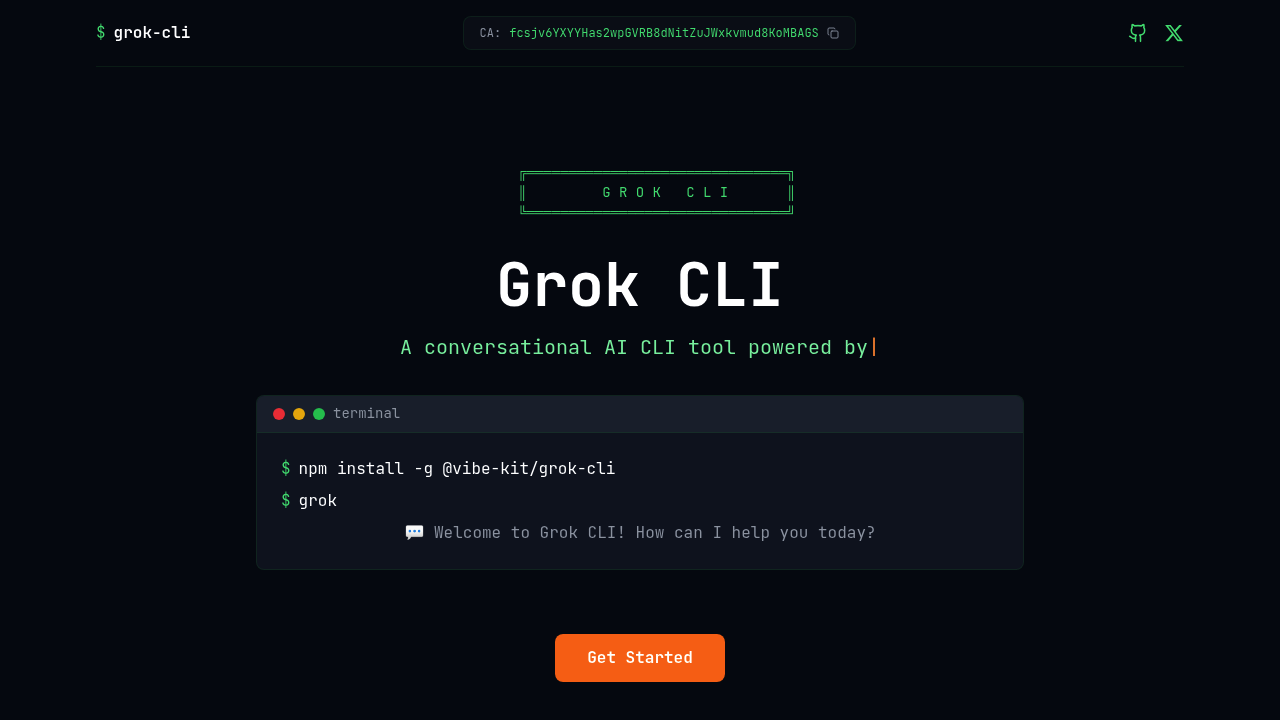
Grok CLI - Claude code alternative
Grok CLI is a conversational AI tool that operates directly in the terminal using xAI's Grok models. The system provides natural language interaction with file systems, bash commands, and automatic tool selection where the AI intelligently chooses the right tools for requests. Solo developers may prefer it for terminal-native workflows, open-source transparency, and xAI API pricing that allows pay-per-use without monthly subscription commitments beyond API costs.
Strengths
- Natural language interface powered by Grok-3 enables conversational commands without memorizing complex syntax.
- Smart file operations allow AI to automatically view, create, and edit files using appropriate tools.
- MCP (Model Context Protocol) integration extends capabilities with external services like Linear, GitHub, and custom APIs.
- Morph Fast Apply provides optional high-speed code editing at 4,500+ tokens per second with 98% accuracy.
- Open-source implementation on GitHub encourages community contributions and customization.
- Custom project instructions via .grok/GROK.md files allow per-project behavior tailoring.
Weaknesses
- Requires API key setup and terminal comfort, limiting accessibility for non-technical users.
- Unofficial status means limited official support compared to proprietary tools.
- Context window limitations depend on underlying Grok model selection (128K–256K tokens).
- Documentation scattered across multiple GitHub repositories creates learning curve friction.
Best for
Developers who live in the terminal and want AI assistance without leaving command-line workflows. Ideal for those comfortable with CLI tools, open-source customization, and pay-per-token API pricing.
Pricing plans
- xAI API (Grok 4) — $3.00 per 1M input tokens / $15.00 per 1M output tokens — 256,000 token context window, cached tokens at $0.75 per 1M.
- xAI API (Grok 4 Fast) — Approximately $0.20 per 1M input tokens / $0.50 per 1M output tokens — Lower-cost throughput variant.
- xAI API (Grok Code Fast 1) — Approximately $0.20 per 1M input tokens / $0.50 per 1M output tokens — Optimized for agentic coding tasks.
- xAI API (Grok 3) — $3.00 per 1M input tokens / $15.00 per 1M output tokens — Enterprise-focused model with 131K context.
- Morph Fast Apply (optional) — Unknown — High-speed editing feature requires separate Morph API key.
Tech details
- Type: Command-line AI agent
- IDEs: Grok Code Fast 1 available in Visual Studio Code, Visual Studio, JetBrains IDEs, Xcode, and Eclipse through GitHub Copilot. Community VSCode extensions exist for direct Grok API integration.
- Key features: Natural language file operations, bash command execution, automatic tool selection, custom project instructions, interactive terminal UI built with Ink. Supports Model Context Protocol servers for Linear, GitHub, and external service integrations.
- Privacy / hosting: Cloud-based through xAI API. Open-source CLI tool (MIT license) runs locally but sends requests to remote xAI endpoints. Custom endpoints configurable.
- Models / context window: Supports grok-code-fast-1, grok-4-latest, grok-3-latest, grok-3-fast, grok-3-mini-fast. Grok 4 provides 256,000 token context window. Grok 3 offers 128K token context.
When to choose this over Claude code
- You prefer terminal-native workflows over IDE extensions and want conversational AI directly in bash.
- xAI API costs ($3–$15 per million tokens) may be more predictable than Claude subscription tiers for variable usage patterns.
- Open-source implementation allows customization, self-hosting modifications, and community-driven tool extensions.
When Claude code may be a better fit
- Claude Pro ($20/month) or Max ($100–$200/month) subscriptions provide predictable costs for heavy daily usage.
- Claude Code offers deeper IDE integrations with established toolchains and multi-step agentic capabilities.
- You need enterprise features like SSO, compliance logging, and dedicated support channels.
Conclusion
Grok CLI brings xAI's Grok models into terminal-based development as a Claude code alternative for command-line enthusiasts. The open-source tool combines natural language interaction with intelligent file operations and MCP protocol extensibility. Pay-per-token API pricing suits developers with variable workloads who prefer granular cost control. Limited official support and documentation fragmentation create friction, but community momentum and terminal-first design appeal to developers who value CLI workflows over graphical interfaces.
Sources
- Official site: https://grokcli.io/
- Docs: https://github.com/superagent-ai/grok-cli
- Pricing: https://docs.x.ai/docs/models
FAQ
What is Grok CLI and how does it work?
Grok CLI is a conversational AI tool powered by xAI's Grok models that brings natural language interaction directly into the terminal. Users install it globally via npm or bun, configure their xAI API key, and then type conversational commands that the AI interprets to perform file operations, execute bash commands, or answer technical questions. The tool automatically selects appropriate internal tools based on request context.
Do I need a paid subscription to use Grok CLI?
No subscription required. Grok CLI uses xAI's pay-per-token API pricing at $3 per million input tokens and $15 per million output tokens for Grok 4. You only pay for actual API usage. This differs from Claude Code's subscription tiers and may be more cost-effective for developers with intermittent or variable usage patterns.
Can Grok CLI work with my existing development tools?
Yes, through Model Context Protocol (MCP) integration. You can connect Grok CLI to external services like Linear, GitHub, and custom APIs by adding MCP servers to your project configuration. Community-built VSCode extensions also enable Grok API integration within editors. The tool operates as a standalone CLI that complements rather than replaces existing workflows.
How does Grok CLI's context window compare to Claude Code?
Grok 4 provides a 256,000 token context window. Grok 3 offers 128K tokens. This is smaller than Claude Sonnet 4.5's 1-million-token context but sufficient for most single-file or small-project tasks. For analyzing entire large codebases simultaneously, Claude's extended context provides advantages.
Is Grok CLI open source and can I customize it?
Yes, Grok CLI is open source under MIT license and available on GitHub. Developers can fork the repository, modify behavior, and contribute improvements. Per-project customization is supported through .grok/GROK.md instruction files that tailor AI behavior to specific codebases. The cloud API dependency remains for model access.
What's the difference between Grok CLI and Claude Code?
Claude Code operates as an IDE-integrated agentic assistant with subscription pricing ($20–$200/month) and deep editor integrations. Grok CLI focuses on terminal-native workflows with pay-per-token pricing and open-source flexibility. Developers who prefer bash-centric development and want cost transparency may favor Grok CLI, while those needing IDE-native experiences lean toward Claude Code.