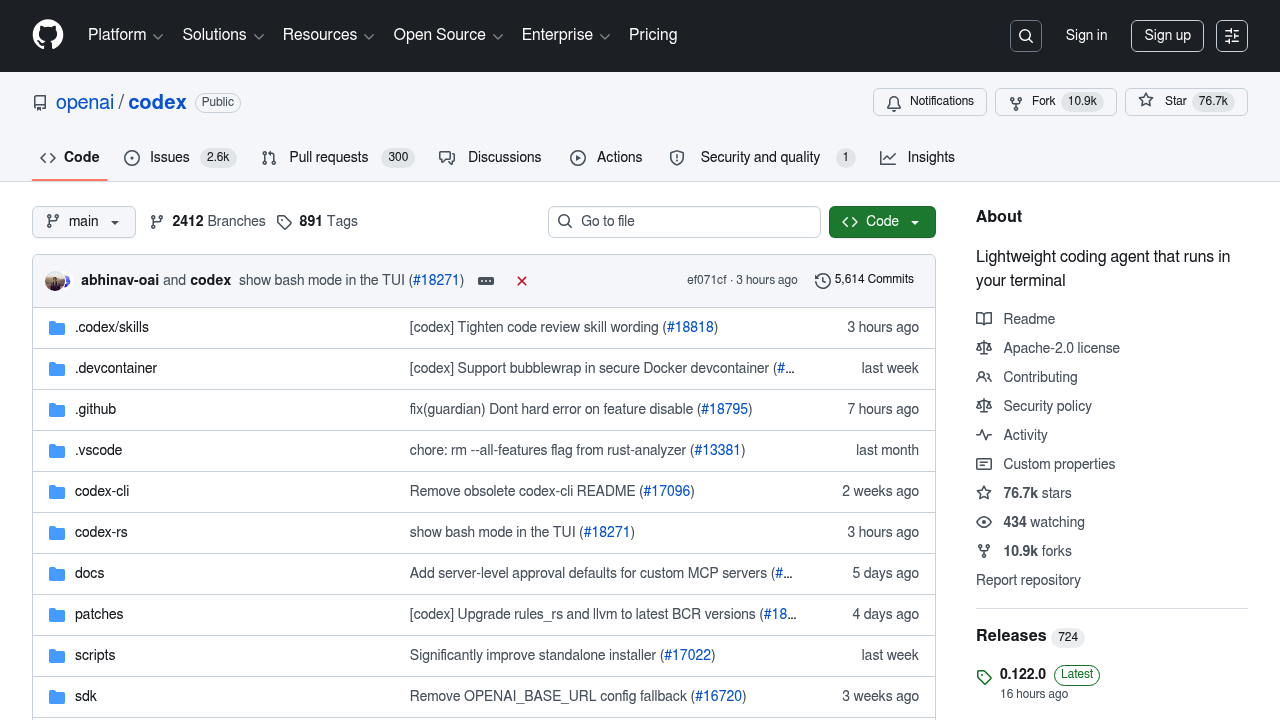
OpenAI Codex CLI: A Claude Code Alternative for Terminal-First AI Coding
OpenAI Codex CLI is a lightweight open-source coding agent that runs directly in your terminal, enabling developers to write, edit, and execute code through natural language commands. Released under the Apache-2.0 license, it is maintained by OpenAI and actively developed on GitHub. For engineers who prefer staying in the command line, Codex CLI offers a compelling Claude Code alternative without leaving the terminal environment.
Codex CLI connects to OpenAI's models — including o4-mini and codex-1 — either through a ChatGPT subscription or a direct API key. It supports macOS and Linux, and can also be installed as an IDE extension for VS Code, Cursor, and Windsurf. A desktop app version is available via chatgpt.com/codex for those who prefer a GUI experience.
The tool was designed with minimal friction in mind: install via npm or Homebrew, authenticate with ChatGPT or an API key, and start coding immediately. OpenAI also funds an open-source grant program through this repository, reinforcing its commitment to the developer community.
Comparison: OpenAI Codex CLI vs Claude Code
| Feature |
OpenAI Codex CLI |
Claude Code |
| Type | CLI Agent (open-source) | CLI Agent (Anthropic) |
| IDE Support | VS Code, Cursor, Windsurf, Desktop App | Terminal only (CLI) |
| Pricing | Free with ChatGPT Plus/Pro/Business; API usage-based | Usage-based via Anthropic API / Claude.ai Pro |
| Models | OpenAI o4-mini, codex-1 and others | Claude 3.5 Sonnet / Claude 3 Opus |
| Privacy/Hosting | Cloud (OpenAI API or ChatGPT) | Cloud (Anthropic API) |
| Open Source | Yes (Apache-2.0) | No |
| Offline/Local Models | No | No |
Key Strengths
- Open-source and auditable: The Apache-2.0 license means you can inspect, fork, and modify the codebase. This transparency is valuable for security-conscious teams and contributes to community-driven improvements.
- Multi-surface availability: Beyond the terminal, Codex CLI installs as an IDE extension for VS Code, Cursor, and Windsurf, and a desktop GUI app is available via ChatGPT. This multi-surface approach makes it unusually versatile among CLI agents.
- Backed by ChatGPT subscriptions: Users with existing ChatGPT Plus, Pro, Business, Edu, or Enterprise plans can use Codex CLI at no additional cost. This dramatically lowers the barrier for teams already invested in OpenAI's ecosystem.
- Active development with OpenAI resources: Unlike many open-source projects, Codex CLI benefits from direct OpenAI engineering involvement and an open-source fund that supports the broader ecosystem.
- Simple installation: A single
npm install -g @openai/codex or brew install --cask codex gets you running in minutes, with no complex configuration required.
Known Limitations
- No offline or local model support: Codex CLI requires a live connection to OpenAI's cloud infrastructure. There is no support for running local models via Ollama, LM Studio, or similar tools, which may be a concern for air-gapped environments.
- macOS and Linux only: Windows users are not officially supported, limiting adoption in enterprise Windows-first environments unless running WSL2.
- API cost variability: When not using a ChatGPT subscription, costs depend on token usage which can be unpredictable for large codebases or extended sessions.
- Limited multi-agent orchestration: Compared to enterprise platforms, Codex CLI focuses on single-agent terminal workflows and lacks native support for parallel agent execution.
Best For
OpenAI Codex CLI is best suited for individual developers and small teams who want a fast, open-source terminal assistant backed by OpenAI's frontier models. It excels for users already paying for ChatGPT Plus or Pro, since those subscriptions include Codex CLI access at no extra cost. Developers who frequently context-switch between the terminal and IDEs like VS Code or Cursor will especially benefit from its multi-surface availability.
Pricing
Codex CLI is available free of charge with active ChatGPT Plus ($20/month), Pro ($200/month), Business, Edu, or Enterprise subscriptions. For users without a ChatGPT plan, the tool can be used with an OpenAI API key on a usage-based pricing model — costs depend on the specific model selected and token consumption. The CLI itself is free and open-source under Apache-2.0.
Tech Details
Codex CLI is implemented in TypeScript/JavaScript and distributed via npm (@openai/codex) and Homebrew. It targets macOS (Apple Silicon and x86_64) and Linux (x86_64 and arm64). The agent uses OpenAI's reasoning models — specifically codex-1 and o4-mini — which are optimized for code generation, editing, and debugging tasks. Integration with the OpenAI Responses API enables multi-turn conversations with full context retention. The repository is hosted at github.com/openai/codex and receives regular commits from both OpenAI engineers and the open-source community.
When to Choose OpenAI Codex CLI Over Claude Code
Choose Codex CLI if you already have a ChatGPT Plus or Pro subscription, since it significantly reduces incremental cost compared to paying separately for Claude API access. It is also a strong choice if you value open-source transparency — the Apache-2.0 license allows you to audit and customize the tool in ways that closed-source alternatives do not permit. Additionally, if your team works across VS Code, Cursor, or Windsurf, the IDE extension support makes Codex CLI a more integrated option than Claude Code's pure-terminal approach.
When Claude Code May Be a Better Fit
Claude Code may outperform Codex CLI on complex, long-context reasoning tasks where Anthropic's Claude models excel in nuanced instruction-following and extended agentic workflows. Teams already invested in the Anthropic ecosystem or those who prefer Claude's specific reasoning style may find the transition cost to Codex CLI not worthwhile. Additionally, Claude Code's deep integration with Anthropic's safety research provides certain assurances around model behavior that open-source implementations may not replicate by default.
Conclusion
OpenAI Codex CLI is a powerful, free, and open-source terminal-based coding agent that brings OpenAI's frontier models directly to your development workflow. Its multi-surface approach — covering CLI, IDE extensions, and a desktop app — combined with inclusion in ChatGPT subscriptions makes it an accessible and cost-effective option for developers of all scales. For teams seeking a Claude Code alternative with open-source credentials and OpenAI model access, Codex CLI stands out as a top contender in 2026.
Sources
FAQ
Is OpenAI Codex CLI free to use?
Codex CLI itself is free and open-source. If you have an active ChatGPT Plus, Pro, Business, Edu, or Enterprise subscription, usage is included at no additional cost. Without a ChatGPT plan, you can use it with an OpenAI API key — costs are usage-based and depend on the model and tokens consumed.
Does Codex CLI work on Windows?
Official support covers macOS and Linux only. Windows users can run Codex CLI through WSL2 (Windows Subsystem for Linux), but native Windows support is not currently provided. Check the GitHub repository for the latest platform availability updates.
What models does OpenAI Codex CLI use?
Codex CLI uses OpenAI's code-optimized reasoning models, including codex-1 and o4-mini. These models are specifically tuned for software engineering tasks such as code generation, debugging, refactoring, and test writing. Model availability may vary based on your subscription tier or API access level.
Can I use Codex CLI inside VS Code or Cursor?
Yes. Codex CLI is available as an IDE extension for VS Code, Cursor, and Windsurf. Visit developers.openai.com/codex/ide for installation instructions. A full desktop app experience is also available via the ChatGPT Codex App page at chatgpt.com/codex.
How does Codex CLI compare to Claude Code for agentic coding workflows?
Both tools operate as terminal-based coding agents with agentic capabilities. Codex CLI leverages OpenAI's models and is open-source with multi-IDE support, while Claude Code is closed-source and limited to the terminal. The choice often comes down to model preference, existing subscriptions, and whether open-source auditability matters to your team.