Warp
Warp - Claude code alternative
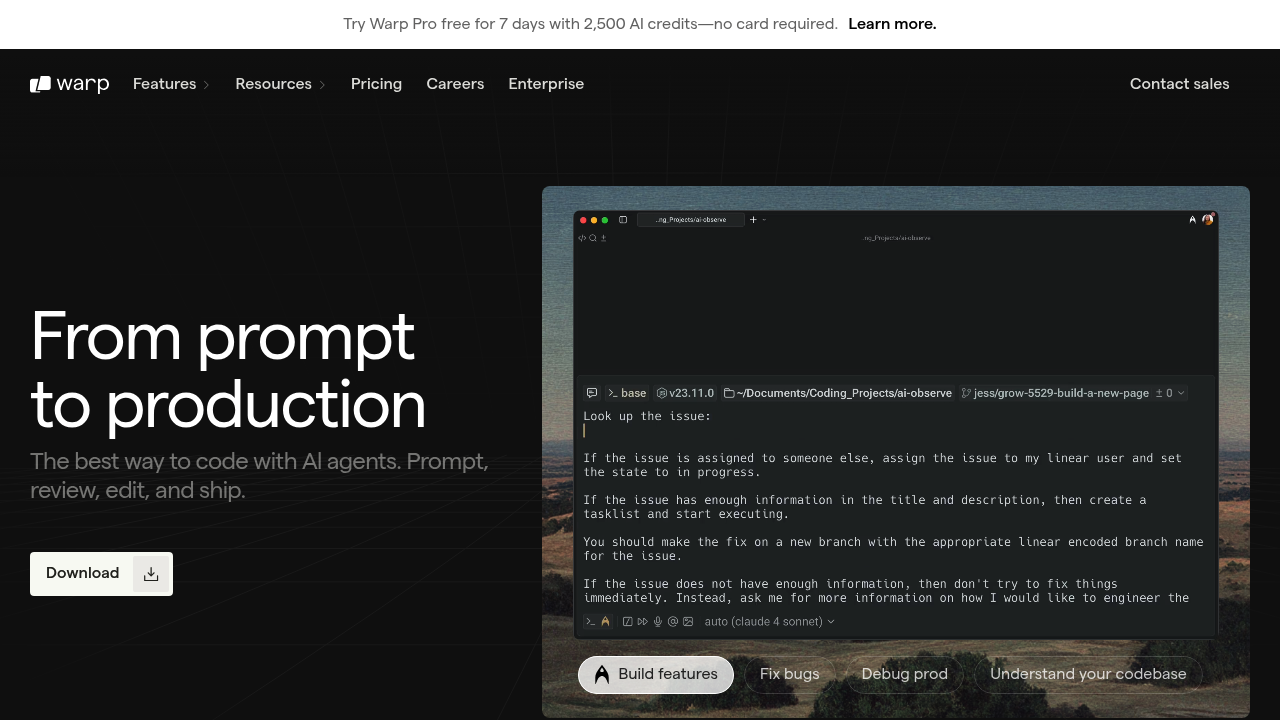
Warp is an agentic development environment (ADE) designed as a modern, GPU-accelerated terminal with integrated AI coding agents. It runs native on macOS, Linux, and Windows, and allows developers to write code using natural language prompts or shell commands. Unlike terminal-only tools, Warp features IDE-like editing capabilities, block-based output organization, and support for multiple leading AI models. Solo developers prefer it for its model flexibility, superior Windows support (native PowerShell integration), and lack of locked-in vendor ecosystems.
Strengths
-
Model provider agnostic: Choose between Claude Sonnet/Haiku, GPT-4o, Gemini 2.5 Pro, or reasoning models without switching tools.
-
Cross-platform parity: Works natively on macOS, Linux, and Windows via PowerShell—unlike Claude Code, which requires WSL on Windows.
-
Multi-agent parallelism: Run multiple agents simultaneously across tabs, debugging one issue while developing a feature in another.
-
Advanced UI features: Block-based I/O, built-in file tree, diff editing, voice input, and image attachment support for visual debugging.
-
Context management: MCP server integration, Warp Drive for workflow templates, and codebase indexing reduce context re-entry friction.
-
No subscription lock-in: Free plan includes 150 AI requests monthly; switching models or providers carries no switching penalty.
Weaknesses
-
Modality split: Code editing happens in your IDE, but AI assistance lives in the terminal—creating context switching overhead for complex tasks.
-
Pricing ambiguity risk: Request counting differs from Claude Code's 5-hour resets; some complex prompts consume multiple requests unexpectedly.
-
Terminal-primary UX: For developers who don't live in the terminal, Warp's interface may feel unfamiliar or impose additional friction.
-
Agent autonomy tuning required: Controlling agent behavior and preventing unwanted command execution requires deliberate configuration per team or project.
-
Limited async operation: Some features (codebase indexing, multi-file edits) can block terminal responsiveness on slower systems.
Best for
Developers who prioritize model flexibility, work across Windows/Mac/Linux equally, run long-lived terminal sessions, or value multi-agent parallelism over deep IDE integration.
Pricing plans
-
Free — $0/month — 150 AI requests/month, 3 indexed codebases (5,000 files each), all terminal features, Warp Drive read-only.
-
Pro — ~$20/month — 2,500 AI requests/month, 40 indexed codebases (10,000 files each), shared notebooks/workflows, real-time session sharing.
-
Turbo — ~$40/month — 10,000 AI requests/month, 40 indexed codebases (20,000 files each), pay-as-you-go overages, team discounts at 3+ users.
-
Lightspeed — ~$200/month — ~50,000 AI requests/month, unlimited indexed codebases, advanced autonomy controls, custom limits available.
-
Enterprise — Unknown — Custom pricing, SAML SSO, SCIM user provisioning, bring-your-own LLM, zero data retention, dedicated account manager.
Tech details
-
Type: Agentic Development Environment (terminal + multi-model AI agents).
-
IDEs: VS Code (SHIFT+CMD/CTRL+C integration), JetBrains IDEs (keyboard shortcut, macOS only), Docker, Raycast (macOS), SSH tunneling.
-
Key features: AI command suggestions, Agent Mode (pair programming + autonomous dispatch), voice input, block-based I/O, code diffing, Warp Drive (shared templates), Model Context Protocol (MCP) servers, Notebooks, real-time session sharing, secret redaction, command palette.
-
Privacy / hosting: Cloud-hosted (Warp Drive data on Google Cloud US region), encrypted in transit (TLS 1.3) and at rest (AES-256). No training on user data; zero data retention available on Enterprise tier. Local natural language detection; AI calls routed directly to Anthropic/OpenAI without Warp intermediation.
-
Models / context window: Claude Sonnet 4 / Haiku, GPT-4o, Gemini 2.5 Pro, reasoning models (o4-mini). Context window varies by model selection (Claude Sonnet ~200k tokens, GPT-4o ~128k tokens, Gemini ~1M tokens). Unknown if Warp manages context windows differently.
When to choose this over Claude code
-
Model optionality: Switch between Claude, OpenAI, Google, and reasoning models per session without subscription changes.
-
Windows-first workflows: Native PowerShell support and no WSL requirement make Warp the only viable option for Windows developers wanting agentic workflows.
-
Multi-agent workload parallelism: Running independent agents across tabs (build + debug + deploy simultaneously) reduces context thrashing.
When Claude code may be a better fit
-
Tight Anthropic ecosystem: If you only want Claude models and value unified billing with Claude Pro, Claude Code avoids fragmentation.
-
Terminal-averse workflows: Teams or solo developers who write code primarily in IDEs (VS Code, JetBrains) may find Warp's terminal-first design cumbersome.
-
Predictable usage billing: Claude Code's 5-hour resets offer clearer mental models than Warp's request-per-action counting, which compounds with multi-step agentic workflows.
Conclusion
Warp represents a shift from bolt-on AI assistants to AI-first terminal-based development. Its ability to swap models, run agents in parallel, and support all major OSes natively positions it as a strong Claude code alternative for developers who value flexibility and cross-platform parity. The trade-off is modality friction—switching between IDE and terminal—and pricing opaqueness that requires close monitoring. For organizations already committed to Anthropic's ecosystem, Claude Code remains simpler; for everyone else, Warp offers broader optionality.
Sources
FAQ
Q: Does Warp require an internet connection to work?
A: Warp's terminal features (autocomplete, editing, block organization) work offline. However, AI features require internet connectivity. Local natural language detection happens on-device, but agent prompts are sent to remote AI model APIs.
Q: Can I use my own API keys with Warp?
A: Yes. Warp is provider-agnostic and supports bring-your-own-LLM on Enterprise plans. For lower tiers, you can select from integrated providers (Anthropic, OpenAI, Google) but cannot directly supply API keys; Warp's backend manages API routing.
Q: How does Warp's pricing compare to Claude Code for heavy users?
A: Claude Code's Pro tier ($20/month) offers roughly 5x standard usage limits with 5-hour resets. Warp's Pro tier (~$20/month) provides 2,500 monthly requests but consumption varies by task complexity. Heavy users switching between tools or running long multi-step tasks may find Warp's request counting less predictable. Lightspeed ($200/month) offers headroom but doubles Claude Code's monthly cost.
Q: Is Warp data stored or used for model training?
A: No. Warp commits to zero training on user data across all tiers. Data is routed directly to Anthropic/OpenAI/Google APIs without Warp retention. Enterprise customers receive explicit zero-retention guarantees. Optional anonymous telemetry can be disabled in settings.
Q: Can I use Warp as a full IDE replacement?
A: Warp is a terminal + agent environment, not an IDE. It offers IDE-like text editing (Vim keybindings, syntax highlighting, multi-line support) but lacks project structure views, integrated debugging, and traditional code navigation. Use it alongside your IDE, not as a replacement. Modality switching between editor and terminal is required for non-trivial projects.
Q: Does Warp work with teams, or is it solo-only?
A: Warp supports team collaboration via shared sessions (real-time terminal sharing), Warp Drive (shared notebooks and workflows), and Admin Panels (Enterprise). Team plans ($12/user/month) reduce per-seat costs at 3+ users and provide SAML SSO (Enterprise only). However, agents run per-user; true multi-developer agentic coordination requires explicit session sharing or workflow design.