FlutterFlow: A Claude Code Alternative for Shipping Visual Flutter Apps Faster
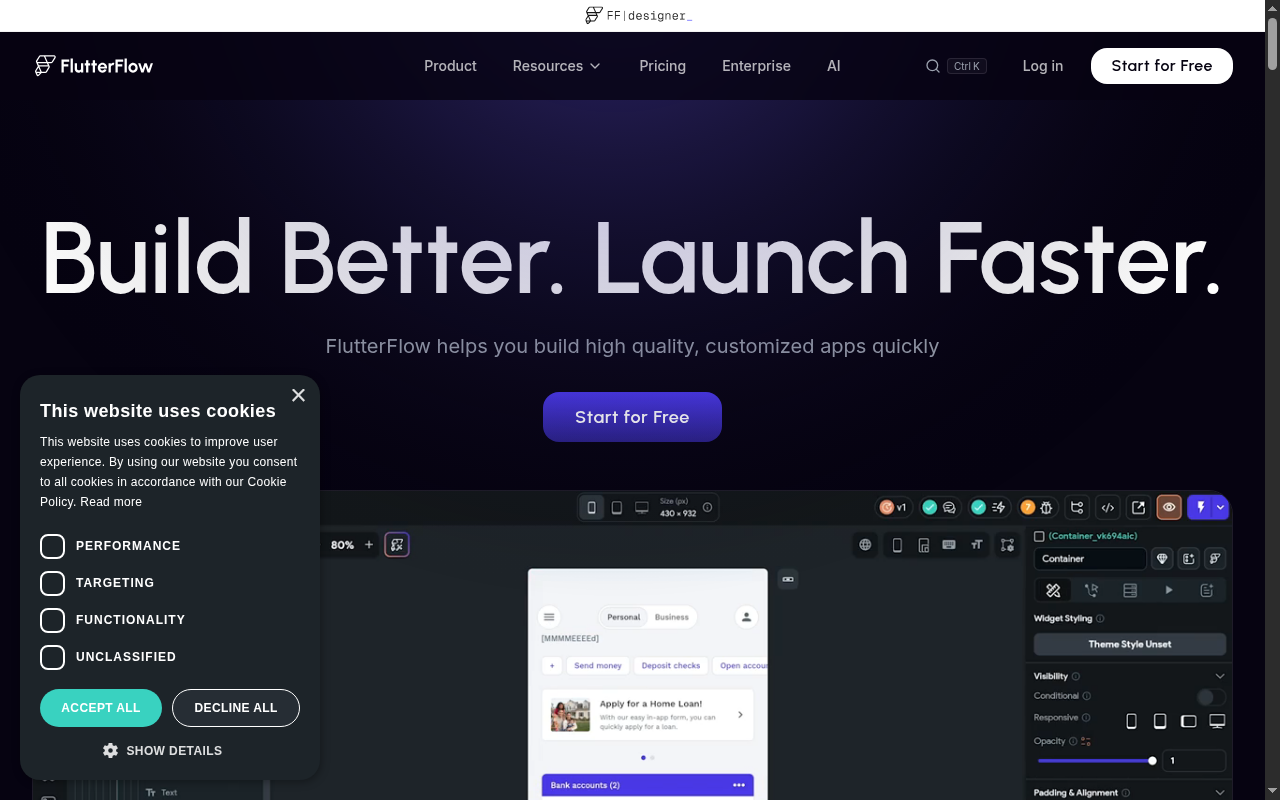
FlutterFlow is an AI-assisted visual app builder developed by FlutterFlow, Inc. It combines a browser-based Flutter editor, code export, backend integrations, and deployment tooling in one workflow. As a Claude Code alternative, it is best suited for founders, product teams, and Flutter-oriented developers who want a visual builder with production paths instead of a terminal-first agent.
FlutterFlow vs. Claude Code: Quick Comparison
| FlutterFlow | Claude Code |
|---|
| Type | AI App Builder | CLI Agent |
| IDEs | Browser app, FlutterFlow desktop apps, VS Code extension on higher plans | Any editor via CLI / terminal |
| Pricing | Free; Basic $39/month; Growth $80 first seat/month; Business $150 first seat/month | Usage-based via Anthropic API; ~$3–15/MTok |
| Models | Not publicly documented | Claude 3.5 / Claude 3 Opus |
| Privacy / hosting | Cloud platform with enterprise offering | Cloud (Anthropic API) |
| Open source | No | No |
| Offline / local models | No | No |
Key Strengths
- Visual Flutter workflow with real output: FlutterFlow is built around a visual development environment for Flutter apps instead of a text-only loop. That matters when you need to design screens, connect flows, and see changes without bouncing between prompt output and a separate UI layer.
- Production features are packaged into the platform: Official pricing and feature pages show code download, APK download, GitHub integration, app-store deployment support, localization, API imports, and collaboration features. Claude Code can help build these workflows, but FlutterFlow packages them as product capabilities rather than engineering tasks you must wire together yourself.
- Faster path for standard app patterns: FlutterFlow is strong when the job is a mobile or responsive app with auth, backend integrations, CRUD screens, and common UI patterns. In those cases, the visual layer shortens the distance between idea, prototype, and testable build.
Known Limitations
- Framework scope is narrow compared with a terminal agent: FlutterFlow is fundamentally a Flutter-centered platform. If your real target is a CLI, backend service, data pipeline, mixed-language monorepo, or a complex non-Flutter stack, Claude Code is structurally more flexible.
- Model transparency is limited: FlutterFlow markets AI features, but the exact model stack and context limits are not clearly documented on the accessible official pages reviewed for this listing. If provider control and model selection are important, a CLI tool gives you more explicit control.
Best For
FlutterFlow fits teams that want to ship mobile or cross-platform app interfaces quickly and still keep a route to source code ownership. It is especially useful for startups building standard product flows, internal teams creating app frontends, and Flutter developers who want faster scaffolding. It also fits mixed technical teams where product, design, and engineering need to work around the same visual project.
Pricing
- Free: $0 with the core visual builder and a limited starter tier.
- Basic: $39/month with unlimited projects, code download, APK download, and 10 Lite credits.
- Growth: $80/month for the first seat and $55 for the second seat, including GitHub integration, collaboration for 2 users, localization, API imports, VS Code extension access, and 100 Lite credits per month.
- Business: $150/month for the first seat and $85 for seats 2-5, with broader collaboration, more branches, automated tests, Figma frame import, and 200 Lite credits per seat per month.
Prices are subject to change. Check the official pricing page for current details.
Tech Details
- Type: AI App Builder
- IDEs: Browser app, FlutterFlow desktop apps, and a VS Code extension on higher plans
- Key features: visual Flutter builder, code download, GitHub integration, app-store deployment tooling, API imports, localization, collaboration, Figma frame import
- Privacy / hosting: Cloud platform with enterprise offering
- Models / context window: Not publicly documented
When to Choose This Over Claude Code
- You are building a Flutter-based mobile or responsive app and want visual editing plus source export in one workflow.
- You need packaged app-builder features such as deployment support, collaboration, and UI composition instead of prompting an agent to assemble those pieces manually.
- You care more about getting to a testable interface quickly than about keeping the entire workflow inside a terminal.
When Claude Code May Be a Better Fit
- If your project spans multiple languages, backend-heavy refactors, or non-Flutter targets, Claude Code gives you broader engineering reach.
- If you need explicit control over model provider choice, prompts, and local tooling, Claude Code is more transparent and scriptable.
- If your main work is on an existing repository rather than a new app-builder project, Claude Code fits the repo-native workflow better.
Why FlutterFlow Can Still Sit in a Claude Code Comparison
FlutterFlow is not a terminal coding agent, so it is not a like-for-like replacement. It belongs in the comparison because many teams evaluating Claude Code are actually choosing between two ways to accelerate product delivery. One path keeps full code control in a repo and uses an agent to operate on that repo.
The other path accepts a managed visual builder in exchange for speed, previews, and more bundled product infrastructure. That is the job FlutterFlow is aiming to do. The comparison is valid because the buyer is often choosing a workflow, not just a feature list.
That difference makes FlutterFlow a good alternative only for a specific buyer. If your real pain is “I need an app running this week and I am comfortable working inside a managed platform,” FlutterFlow may reduce the amount of engineering glue work. If your pain is “I need an agent that can reason across my codebase, scripts, and backend,” Claude Code remains the stronger fit.
How the Workflow Feels in Practice
FlutterFlow moves the center of gravity from code editing to screen composition and flow design. You still think about architecture, but the platform gives you a strong set of defaults around app structure, UI state, and deployment paths. That is useful when the product is a standard SaaS, marketplace, dashboard, or internal tool.
Claude Code feels different because it starts inside text files and terminal commands. That approach is slower when the main challenge is drawing interfaces or wiring standard app flows, but stronger when the challenge is reading, modifying, or debugging a real codebase with fewer platform constraints. Choosing between them is less about feature count and more about where you want the work to happen.
What the Official Pricing Structure Tells You
The official pricing page positions FlutterFlow as a product that scales from solo builders to teams. The Free plan is for evaluation, while Basic introduces code download and APK download. Growth and Business shift the product toward collaboration, branch workflows, imports, testing, and team operations.
That is an important contrast with Claude Code. Claude Code pricing is usage-driven and tool-centric, while FlutterFlow pricing is product-plan-centric and tied to platform capabilities. If your team prefers subscription-style packaging over model-usage accounting, FlutterFlow is easier to budget.
If you want to optimize every model decision yourself, a CLI agent gives you more freedom. The subscription model also makes FlutterFlow easier to compare against other app builders during procurement. That matters for teams that want predictable seat-based planning instead of variable model invoices.
Where FlutterFlow Fits in a Real Product Stack
FlutterFlow makes the most sense when your frontend is the main business asset and you want to shorten the loop between product ideas and shippable screens. It works well for marketplaces, internal tools, founder-led MVPs, and mobile products that need responsive UI plus backend connectivity. The platform’s structure is valuable when the main question is product delivery, not low-level engineering freedom.
It also works well as a bridge between non-technical and technical teammates. Product stakeholders can understand screens, flows, and configuration much faster in a visual environment. Developers still get a path to exported code, GitHub integration on higher tiers, and more formal release workflows.
That combination is why FlutterFlow can replace a Claude Code evaluation for some teams. The team may not actually need an autonomous coding agent as much as they need an app-delivery platform with fewer moving parts. When that is true, FlutterFlow solves the more important problem.
Developer Experience and Handoff
FlutterFlow works best when product and engineering share ownership of the same build environment. Designers and operators can understand the visual structure faster than raw code. Developers still get a path to code export and deeper customization, but the day-to-day workflow is less terminal-native than with an agent.
That shared environment is a real advantage in startup teams. It reduces the translation cost between “what the screen should do” and “what the code needs to implement.” Claude Code can help bridge that gap, but it does not remove the gap in the same way because it is still working from code outward.
Conclusion
FlutterFlow is a strong choice for teams building Flutter-style apps that need speed, visual control, and packaged deployment features. It is a weaker choice for repo-heavy engineering work, backend refactors, and open-ended terminal automation. Pick FlutterFlow over Claude Code when the product is the app itself and speed to interface matters more than terminal-level flexibility.
Sources
FAQ
Is FlutterFlow free?
Yes. FlutterFlow has a Free plan at $0, with paid plans starting at $39 per month on the official pricing page.
Does FlutterFlow work with VS Code?
The official pricing comparison lists a VS Code extension on higher plans. The primary workflow is still the browser-based FlutterFlow platform.
How does FlutterFlow compare to Claude Code?
FlutterFlow is better when you want a visual app builder with deployment paths and code export. Claude Code is better when you want a repo-native coding agent that works in the terminal across broader engineering tasks.
Who should choose FlutterFlow instead of a terminal agent?
Teams building Flutter-centered apps, especially startups and product teams that value fast UI delivery, structured workflows, and a managed platform, are the best fit.