Dyad: A Claude Code Alternative for Product-Led App Building
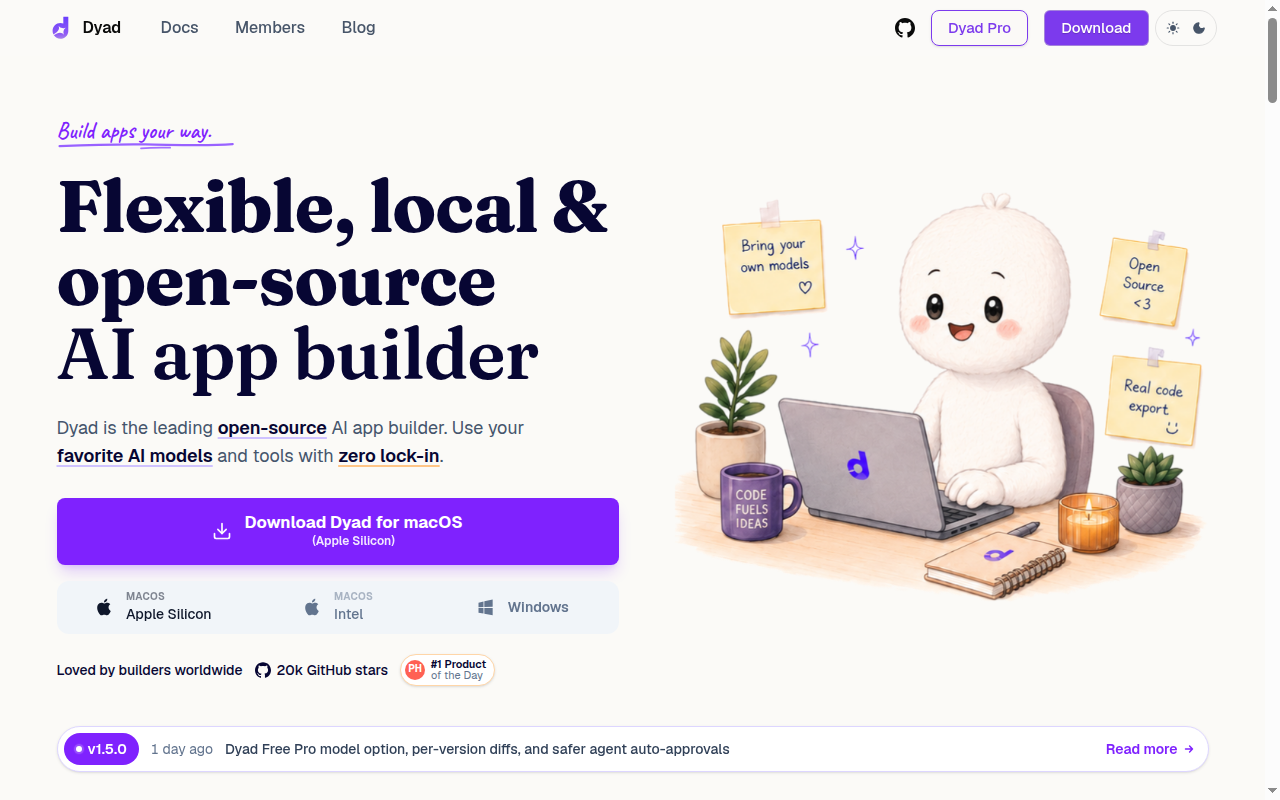
Dyad is a ai app builder developed by Dyad Tech, Inc.. It focuses on local-first open-source ai app builder for developers who want model choice, real code export, and less vendor lock-in than hosted browser builders. As a Claude Code alternative, it is best suited for teams that want a guided product-building workflow instead of a terminal-first coding loop.
Dyad is best for technical founders, indie hackers, and developers who want an AI app builder without surrendering model choice, export rights, or local control. It is especially strong when governance, portability, and cost routing matter as much as raw generation speed. The core tradeoff is simple: Dyad is stronger when you want a system that generates and evolves apps as products, while Claude Code is stronger when you already live inside a repository and want a CLI agent to help with day-to-day engineering work.
That means the evaluation should not start with raw hype or category labels. It should start with workflow shape, deployment expectations, ownership needs, and who will actually operate the tool after the first successful prompt. When those questions are asked honestly, Dyad becomes much easier to place.
Dyad vs. Claude Code: Quick Comparison
| Dyad | Claude Code |
|---|
| Type | AI App Builder | CLI Agent |
| IDEs | Desktop app with local workflow; browser preview for generated apps | Any editor via CLI or terminal |
| Pricing | Free: local app builder with no sign-up required and bring-your-own API key support. | Usage-based via Anthropic API |
| Models | Bring-your-own model setup is central to Dyad; the official site and BYOK guide reference Google Gemini, OpenAI, Anthropic, OpenRouter, and local models via Ollama or LM Studio. | Claude models through Anthropic |
| Privacy / hosting | Local-first desktop workflow with BYOK support; generated apps can be exported and deployed to your own stack. | Cloud API workflow |
| Open source | Yes | No |
| Offline / local models | Yes, for local workflows and local models when configured. | No |
Key Strengths
- Local-first control: Dyad runs as a desktop app rather than a locked browser-only builder. That changes the trust model because the builder can keep prompts, models, and generated code closer to their own machine. For developers who care about where code lives, this is a real product difference rather than a cosmetic one.
- Open-source posture: The official site points directly to a public GitHub repository and frames the product around ownership instead of lock-in. That gives technical buyers a clearer path to inspection, contribution, and migration than most commercial AI builders. It also makes Dyad easier to justify when tool sovereignty matters to the team.
- Provider freedom: The BYOK guide documents Google Gemini, OpenAI, Anthropic, OpenRouter, and local-model paths. That means teams can optimize for price, privacy, or model quality instead of accepting one bundled vendor stack. It is a better fit than Claude Code when model routing flexibility is part of the evaluation criteria.
- Real code ownership: Dyad is explicit that users should feel like owners, not renters. The generated output is meant to move into a longer software lifecycle instead of staying trapped inside a proprietary runtime. That is valuable when the goal is shipping a product that may outgrow the original AI workflow.
Known Limitations
- Less polished than managed builders: A local and open-source workflow usually asks more from the operator. Teams that want a highly guided cloud product with minimal setup will find Dyad rougher around the edges than a fully managed coding agent. The control is real, but the ownership burden is real too.
- Builder scope is narrower than a universal coding cockpit: Dyad is strongest when the job is generating and refining an app. That is not the same thing as being the best general-purpose assistant for mature monorepos, deep backend maintenance, or terminal-heavy repository operations. Some teams will still want a separate IDE or CLI agent for day-to-day maintenance work.
- Cost depends on your chosen providers: The local app itself can be free, but serious usage still depends on model costs if you do not stay on free or local providers. Teams need to think about API-key governance and spend policies more directly than they would in a fully bundled subscription tool. That is flexible, but it is not hands-off.
Best For
Dyad is best for technical founders, indie hackers, and developers who want an AI app builder without surrendering model choice, export rights, or local control. It is especially strong when governance, portability, and cost routing matter as much as raw generation speed.
Dyad is most convincing when the buyer sees app generation, previewing, deployment, and stakeholder iteration as one connected workflow. It is less convincing when the job is mainly repository maintenance, heavy shell work, or a mature engineering process that already depends on terminal-native habits.
Pricing
- Plan: Free: local app builder with no sign-up required and bring-your-own API key support.
- Plan: Dyad Pro: $20/month with exclusive Pro modes, 200 AI credits/month, and full Dyad Academy access.
- Plan: Dyad Max: $79/month with everything in Dyad Pro plus 900 AI credits/month and priority office hours.
Prices are subject to change. Check the official pricing page for current details.
Tech Details
- Type: AI App Builder
- IDEs: Desktop app with local workflow; browser preview for generated apps
- Key features: local-first app building, bring-your-own API key, open-source codebase, exportable projects, GitHub releases, local model support
- Privacy / hosting: Local-first desktop workflow with BYOK support; generated apps can be exported and deployed to your own stack.
- Models / context window: Bring-your-own model setup is central to Dyad; the official site and BYOK guide reference Google Gemini, OpenAI, Anthropic, OpenRouter, and local models via Ollama or LM Studio.
When to Choose This Over Claude Code
- Choose Dyad over Claude Code when local-first app generation matters more than terminal-native repository workflows.
- Choose Dyad when your team wants to bring its own models and keep provider choice visible.
- Choose Dyad when code ownership and low lock-in matter from day one.
When Claude Code May Be a Better Fit
- Claude Code is a better fit when the main job is working inside an existing repository from the terminal rather than generating a new product shell.
- Claude Code is a better fit when your team wants a more conventional CLI-agent workflow for debugging, refactoring, and shell-oriented tasks.
- Claude Code is a better fit when you do not want to manage API-key strategy or local builder tradeoffs yourself.
Implementation Notes
The practical selection question is not whether Dyad is smarter than Claude Code in the abstract. It is whether your team needs a product builder or a terminal agent. Those are related markets, but they solve different bottlenecks.
If your team wants to move from concept to deployed app without wiring every layer manually, Dyad can deliver more immediate leverage. If your team already has a repository, tests, scripts, and release discipline, Claude Code often fits the existing operating model better.
Workflow Fit and Team Adoption
Teams often make a mistake when comparing tools like these. They compare model intelligence or social hype first, then only later ask who will actually operate the workflow every day. That is backwards. The real question is whether the product lets the right people move work forward without introducing a new bottleneck.
With Dyad, the strongest adoption pattern usually appears when product-minded builders, technical founders, or small cross-functional teams want to collapse idea, build, preview, and deployment into one surface. That shortens the path from requirement to visible output. It also means the tool earns its keep before a full engineering handoff exists.
Claude Code, by contrast, is more natural when engineering practices are already established and the repository is the center of truth. The team already has code review, terminal habits, scripts, test commands, and deployment steps, so the best agent is the one that fits inside those routines instead of replacing them with a hosted builder mindset.
Evaluation Questions Before You Choose
Ask whether you are mostly creating a new product surface or mostly maintaining an existing software estate. If the answer is product creation, Dyad has a stronger case. If the answer is maintenance, debugging, or repository navigation, Claude Code likely keeps a structural advantage.
Ask how important portability is after the first success. Some teams only need a fast demo and do not care how the workflow is packaged. Other teams know from the start that they will need export, repository ownership, infrastructure control, or long-term customization. That difference changes the buying decision more than a feature checklist does.
Finally, ask who needs to collaborate. A browser-based app builder can be easier for product and design stakeholders to understand, review, and iterate on. A CLI agent can be better for engineers who already think in commits, tests, scripts, and shell commands. Good evaluation comes from matching the tool to the operator, not from assuming one category wins universally.
Conclusion
Dyad is a credible choice for builders who want AI to accelerate product creation rather than only accelerate line-by-line coding. It is strongest when workflow, deployment, and collaboration are part of the buying criteria, not just raw code editing.
Pick Dyad if you want a guided app-building surface with clearer product-generation affordances. Stay with Claude Code if your main need is a CLI-first engineering companion for real repositories, shell tasks, and day-to-day developer operations.
Sources
FAQ
Is Dyad free?
Yes. The official site says Dyad is local, open source, and usable without sign-up, while paid plans add credits and Pro modes.
Can Dyad use your own model provider?
Yes. The official BYOK guide documents Google Gemini, OpenAI, Anthropic, OpenRouter, and local-model setups.
Does Dyad work offline?
The builder itself is local-first, and local-model workflows are supported when you configure tools such as Ollama or LM Studio.
Who should skip Dyad?
Teams that want the smoothest managed cloud experience and do not care about local control or model choice should compare it against more guided products.